2. Go to Step 5: Complete system setup and configuration to complete system setup and configuration.
Step 5: Complete system setup and configuration
You can complete the system setup and configuration using cluster discovery with only a
connection to the switch and laptop, or by connecting directly to a controller in the system
and then connecting to the management switch.
Option 1: Completing system setup and configuration if network discovery is enabled
If you have network discovery enabled on your laptop, you can complete system setup
and configuration using automatic cluster discovery.
1. Use the following animation to set one or more drive shelf IDs:
If your system has NS224 drive shelves, the shelves are pre-set to shelf ID 00 and 01. If you want to
change the shelf IDs, you must create a tool to insert into the hole where button is located.
Setting drive shelf IDs
2. Plug the power cords into the controller power supplies, and then connect them to power sources on
different circuits.
3. Make sure that your laptop has network discovery enabled.
See your laptop’s online help for more information.
4. Use the following animation to connect your laptop to the Management switch.
Connecting your laptop to the Management switch
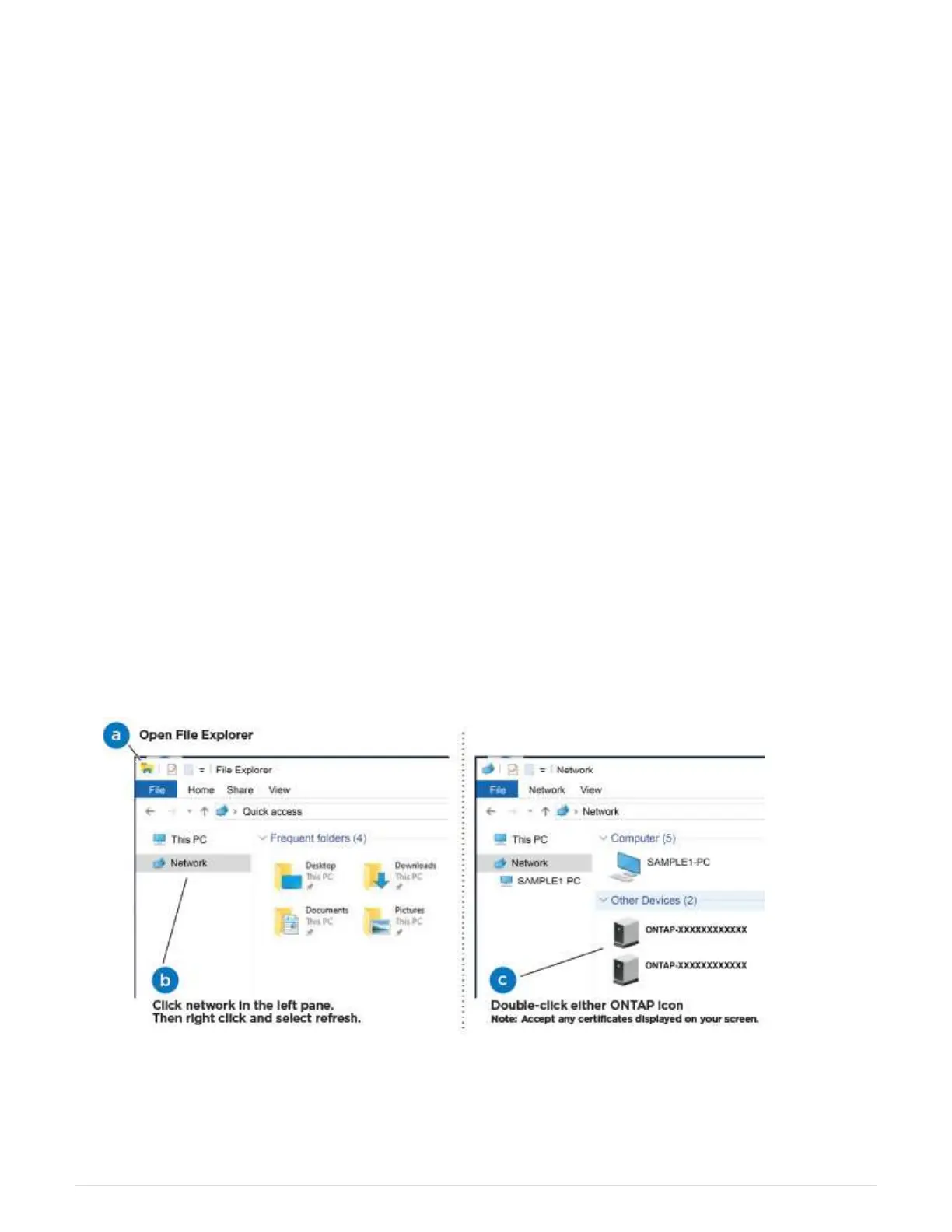
5. Select an ONTAP icon listed to discover:
a. Open File Explorer.
b. Click network in the left pane.
c. Right click and select refresh.
10












 To Next Page