Storage system bring-up | Stage 3
3
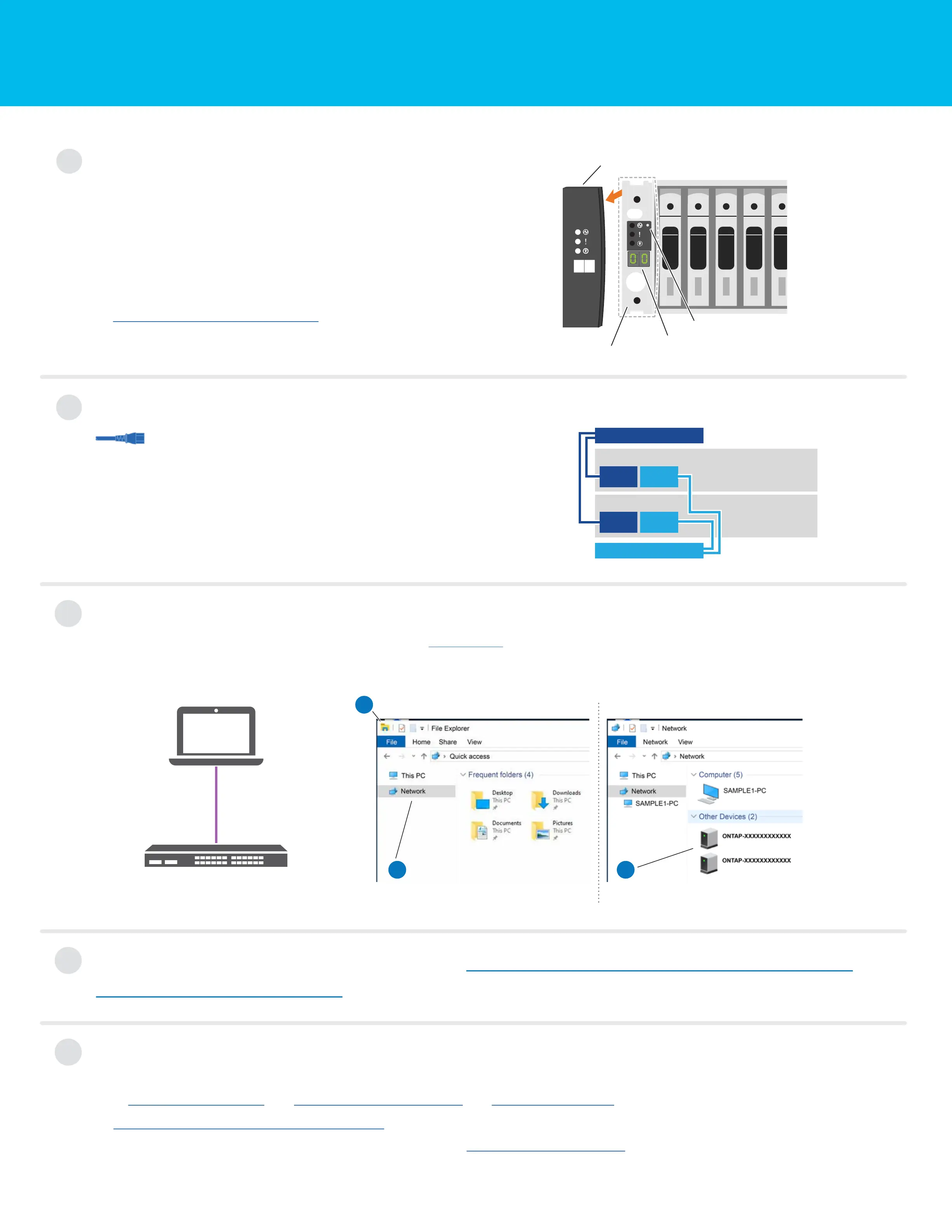
Complete initial cluster setup with network discovery
Note: If your laptop does not support network discovery, see the Detailed steps.
Connect your laptop to the management switch and access the network computers and devices.
a
Open File Explorer
c
Double-click either ONTAP icon.
Note: Accept any certificates displayed on your screen.
b
Click network in the left pane.
Then right click and select refresh.
Laptop
Management Switch
5
Complete setup
4
Configure your cluster using the Configure ONTAP on a new cluster
with System Manager procedure
Power on the shelves and set shelf IDs
Note: For NS224 drive shelves, shelf IDs are pre-set to 00 and 01. If you want
to change the shelf IDs, use the straightened end of a paperclip, or narrow tipped
ball point pen to access the shelf ID button behind the faceplate.
1. Plug the power cords into the shelf power supplies, and then
connect them to power sources on different circuits.
Note: NS224 shelves have no power switch and will begin to boot.
2. If you need to change the shelf ID's, see
Change a shelf ID - NS224 shelves for detailed instructions.
1
Shelf ID button access
Faceplate
End cap
Shelf ID number
1. Click...
a) mysupport.netapp.com b) Create/log in to your account c) Register your system
2. Download and install Active IQ Config Advisor, and then run it to verify the health of your storage system.
3. After you have completed the initial configuration, go to the NetApp ONTAP Resources
page for information about configuring additional features in ONTAP.
2
Connect the power cables
1. Connect the power cables to each controller’s power supplies,
and then to power sources on different circuits.
2. Secure the power cables using the securing device on each power supply.
Note: The storage system powers on when plugged into the power sources.
Power cables
PSU 2
Controller A
Power source on circuit A
Power source on circuit B
PSU 1 PSU 2
PSU 1
Controller B











 To Previous Page