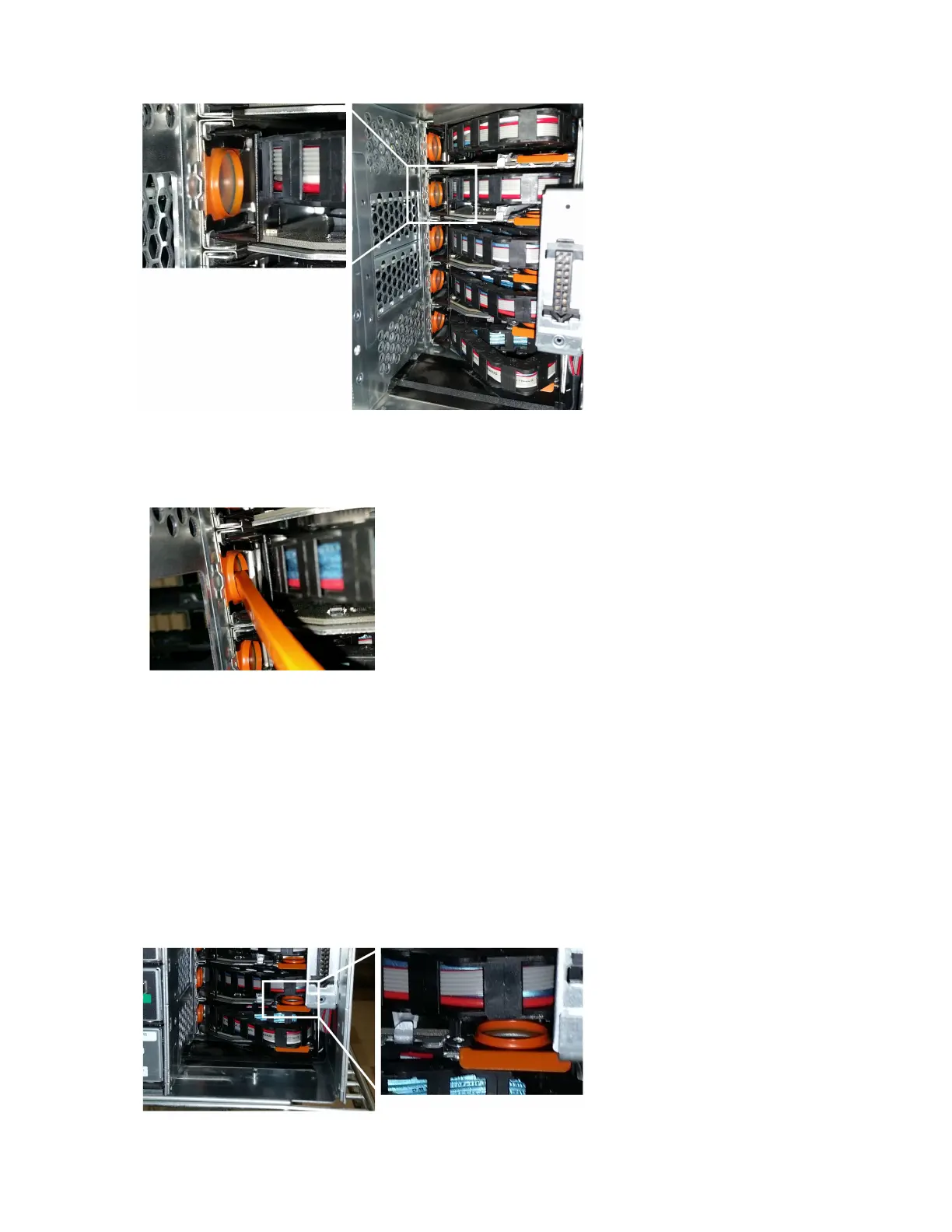
b. Insert the hooked end of the cable chain removal tool into the orange ring. The hook should point in, toward the bracket.
If you do not have a cable chain removal tool, insert your finger into the orange ring.
c. To unplug the cable chain, carefully pull the tool (or your finger) toward you approximately 1 inch (2.5 cm), but leave the
cable chain connector within the vertical bracket.
Attention: Possible hardware damage — If the drive tray is powered on, do not allow the cable chain connector to
touch the metal chassis.
5. Follow these steps to disconnect the other end of the cable chain:
a. Using a flashlight, locate the orange ring on the end of the cable chain that is attached to the horizontal bracket in the
enclosure.
Removing the cable chains
7



 To Next Page