8 Replacing a Drive Drawer in a 60-Drive Tray
Installing the Drive Drawer
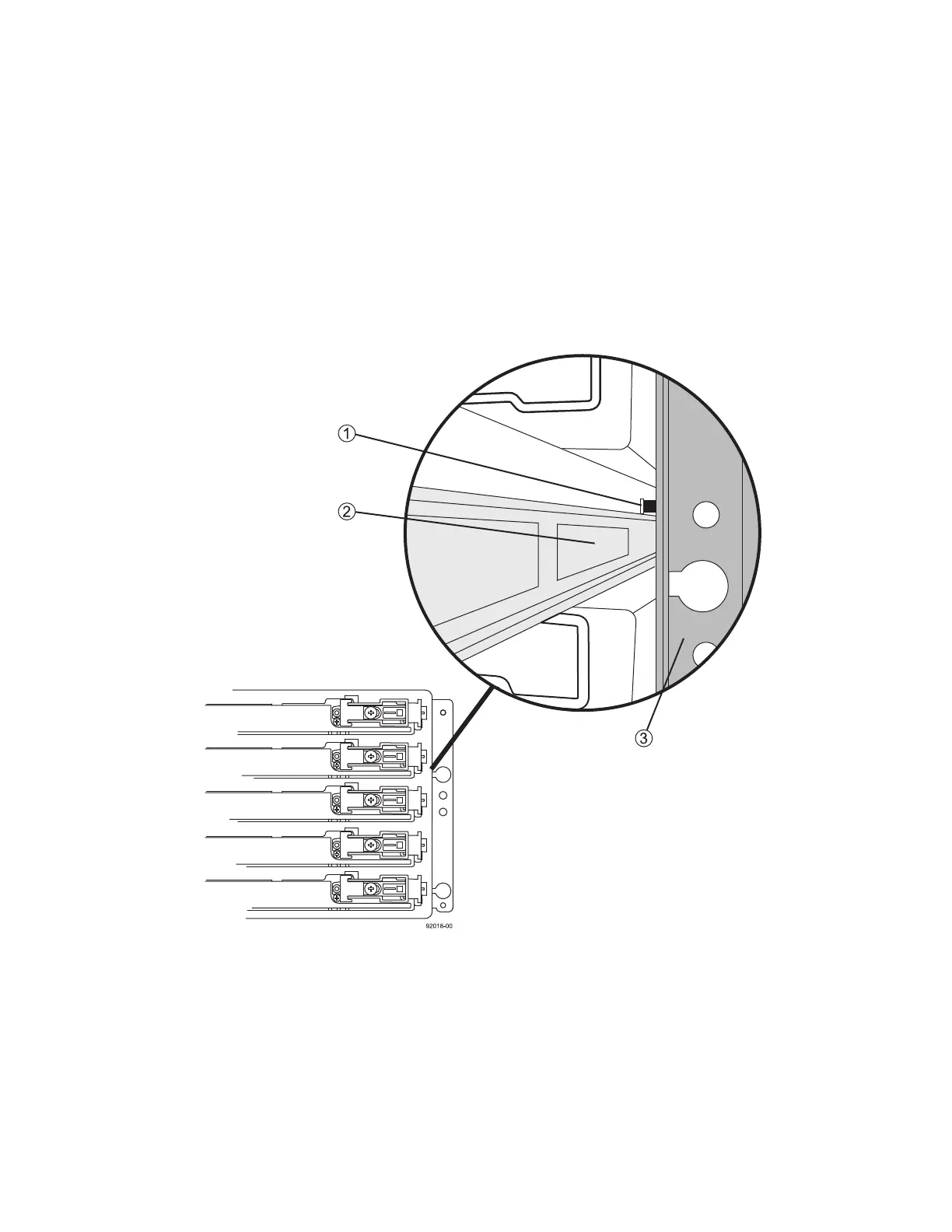
ATTENTION Risk of equipment damage – Damage occurs if the lock-out tumbler is in the middle
of the drawer guide.
1 At the front of the drive tray, install the new drive drawer into the slot, making sure the
lock-out tumbler is located on the top of the drawer guide.
The lock-out tumbler is a small alignment piece that is attached to the frame. Figure 9 shows the
location of the lock-out tumbler as shown from the front of the drive tray.
Figure 9 Lock-Out Tumbler Sitting above the Drawer Guide
1. Lock-Out Tumbler
2. Drawer Guide
3. Cabinet Frame
2 Carefully push in the drive drawer all the way until the latch fully engages.



 To Next Page