10 of 15
CF40MESH – Wireless Troubleshooting Guide
FA01365 v. 1.01 10 February 2023
Android
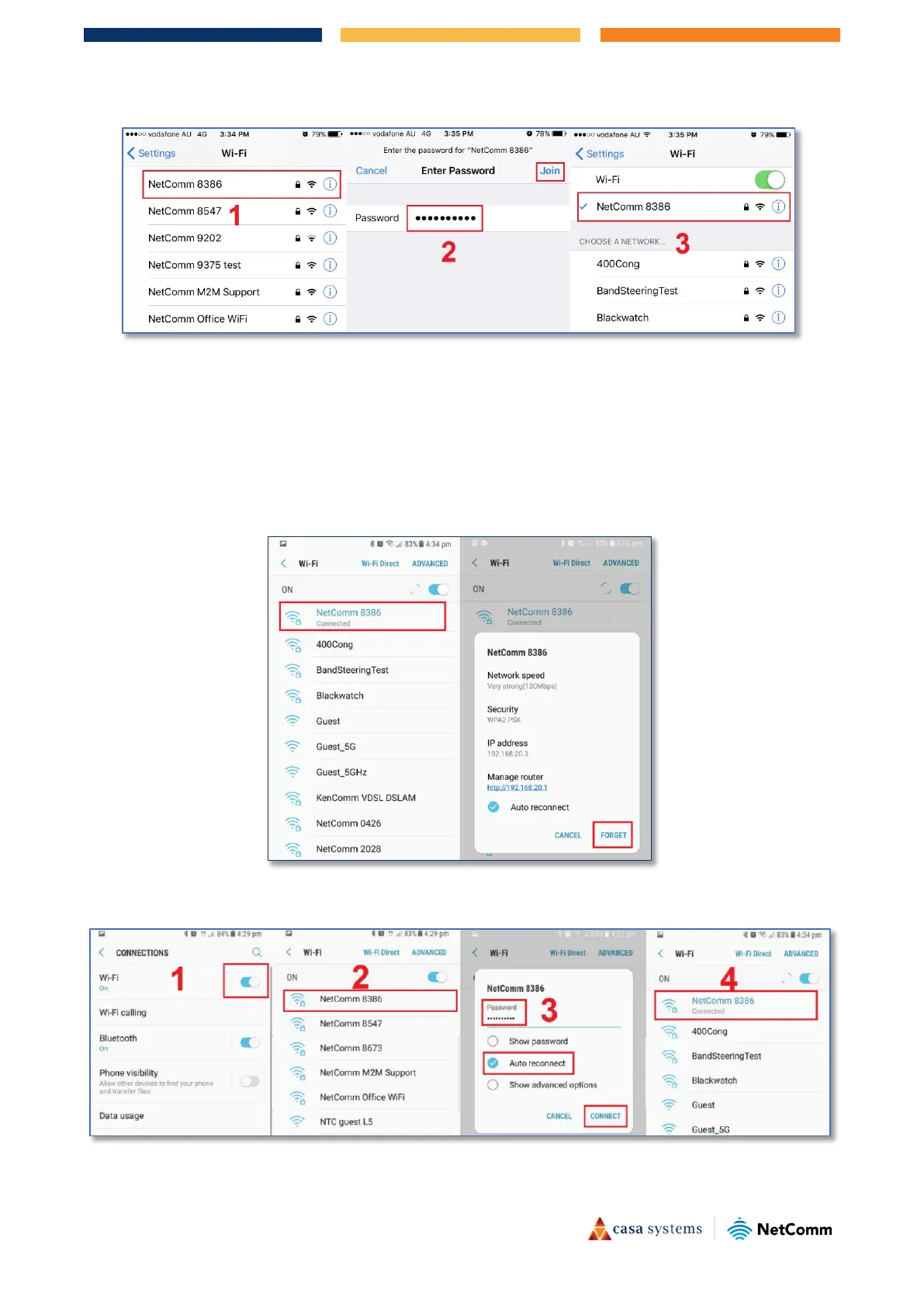
Your Android phone may be storing your old WiFi password causing it not to connect to the WiFi network.
1 In your Android phone, navigate to
Settings > Connections > WiFi.
2 Press WiFi network name (Example: NetComm 8386) as in the snapshot below and press
Forget.
3 Scan for the WiFi network name/SSID and enter new WiFi security key/password again.



 To Next Page