11 of 15
CF40MESH – Wireless Troubleshooting Guide
FA01365 v. 1.01 10 February 2023
Mac OS X
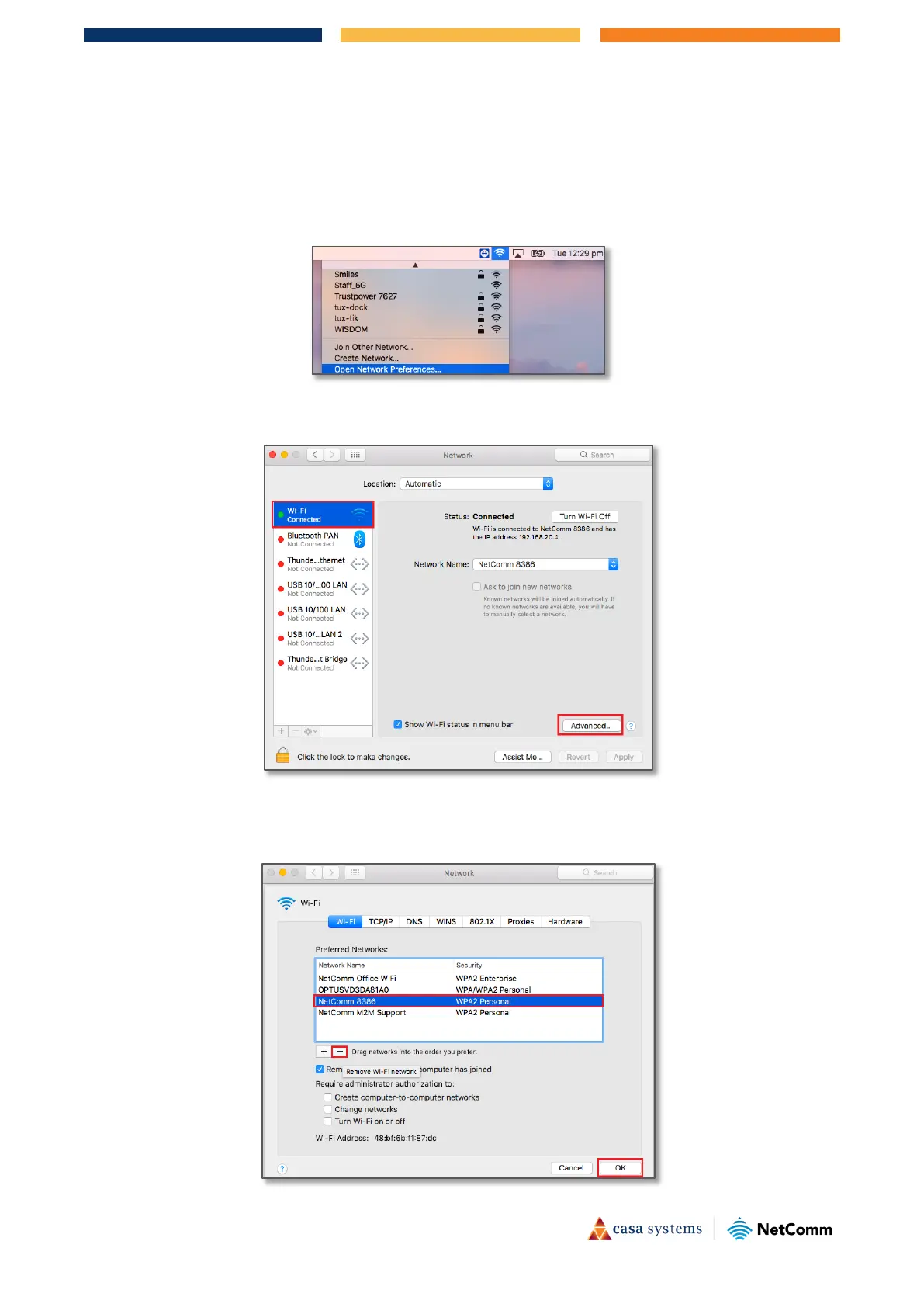
1 Click on the Airport/WiFi icon at the top right corner of the screen as shown below.
2 Scroll down and click
“Open Network Preferences…”.
3 Select
WiFi and then select the Advanced… button.
4 Select your WiFi network name (Example: NetComm 8386), click the minus sign “–“ as shown below, check
Remove and OK.



 To Next Page