 Need help?
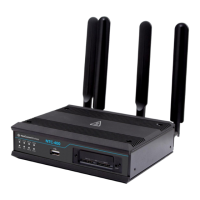
Do you have a question about the NetComm NTC-402 and is the answer not in the manual?
 General
| Brand | NetComm |
|---|---|
| Model | NTC-402 |
| Category | Wireless Router |
| Language | English |
Steps to connect the NTC-402 router, insert the SIM card, and log into the web interface.
Guide to setting the Access Point Name (APN) for the service provider in the NTC-402.
Instructions to disable Network Address Translation (NAT) and Network Monitoring.
Steps to disable Stateful Packet Inspection (SPI) for enhanced security.
Configure Telnet, SSH, and HTTP/S services for WAN access on the NTC-402.
Configure the LAN IP address and subnet mask for framed routing.
Apply configuration changes and refresh network status using ipconfig commands.
Access the NTC-402 router by logging into its SIM service IP address.
Verify the NTC-402's connection to the Telstra network and view IP status.

 To Next Page