
 Need help?
Do you have a question about the NETGEAR GS116v2 and is the answer not in the manual?
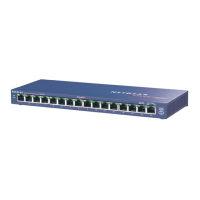
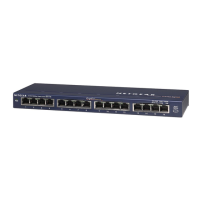
The NETGEAR GS116v2 is a 16-Port Gigabit Ethernet Unmanaged Switch designed for business environments, offering a straightforward solution for expanding network connectivity. This device facilitates high-speed data transfer across a network, making it suitable for small to medium-sized businesses or advanced home networks requiring robust and reliable performance. As an unmanaged switch, it operates with plug-and-play simplicity, requiring no complex configuration, which makes it an ideal choice for users who need to quickly set up or expand their network without extensive IT knowledge.
At its core, the GS116v2 functions as a central hub for wired network devices. It provides 16 Gigabit Ethernet ports, each capable of supporting data transfer speeds of up to 1000 Mbps (1 Gigabit per second). This high-speed capability ensures that bandwidth-intensive applications, such as large file transfers, video streaming, and online gaming, run smoothly without bottlenecks. The switch automatically detects the speed and duplex mode of connected devices, optimizing performance for each connection. This auto-negotiation feature simplifies setup and ensures compatibility with a wide range of Ethernet-enabled devices, including computers, servers, network-attached storage (NAS) devices, printers, and IP cameras.
The primary role of the switch is to connect multiple devices within a local area network (LAN) and enable them to communicate with each other. When a data packet arrives at one port, the switch intelligently forwards it only to the destination port, rather than broadcasting it to all ports. This intelligent forwarding mechanism, known as MAC address learning, improves network efficiency and reduces unnecessary traffic, leading to better overall performance compared to older hub-based networks. The GS116v2 supports full-duplex operation, allowing data to be sent and received simultaneously on each port, further enhancing throughput.
The GS116v2 is designed for ease of use and immediate deployment. Its "unmanaged" nature means there is no software to install, no web interface to configure, and no complex settings to adjust. Users simply connect their Ethernet cables from their network devices to the switch's ports, and the switch automatically begins to function. This plug-and-play functionality is a significant advantage for users who prioritize simplicity and quick setup.
The switch features LED indicators for each port, providing visual feedback on the status of network connections. These LEDs help users quickly ascertain the link status and activity of each port. A solid green LED for both the left and right indicators signifies a 1000 Mbps link, while a solid green left LED indicates a 100 Mbps link, and a solid green right LED indicates a 10 Mbps link. A blinking green LED signifies that the port is actively sending or receiving traffic, allowing for easy troubleshooting and monitoring of network activity. The absence of an LED light indicates that the switch does not detect a link on that port. Additionally, a dedicated Power LED indicates whether the switch is receiving power, providing a quick check for operational status.
The compact design of the GS116v2 allows for flexible placement within various environments. While a wall-mount kit is not included, the switch can be wall-mounted, offering options for discreet installation and cable management. Its robust metal casing ensures durability and helps dissipate heat, contributing to reliable long-term operation. The external power adapter, which varies by region, ensures that the device receives the correct power supply.
As an unmanaged switch, the GS116v2 requires minimal ongoing maintenance. There is no firmware to update, no configuration backups to manage, and no logs to review, which significantly reduces the administrative burden. The primary maintenance tasks involve ensuring proper physical connections and a stable power supply.
The LED indicators serve as a crucial diagnostic tool for basic troubleshooting. If a device is not connecting to the network, checking the port LEDs on the switch can quickly reveal whether a link has been established and at what speed. A lack of a link LED might indicate a problem with the Ethernet cable, the connected device, or the port itself. Similarly, the power LED provides an immediate visual confirmation of the switch's operational status.
For more advanced support or warranty activation, NETGEAR provides resources through its NETGEAR Insight app. Users can register their switch using the app, which involves entering the serial number (found on the bottom of the switch) or scanning its barcode. This registration process activates the product warranty and provides access to NETGEAR's support ecosystem, including downloads, user manuals, and community forums. While the switch itself is unmanaged, the Insight app offers a convenient way to manage product registration and access support resources, ensuring that users can get assistance if needed. The app also allows users to view the device once it's added to their account, streamlining the process of managing multiple NETGEAR devices.
In summary, the NETGEAR GS116v2 is a high-performance, easy-to-use, and low-maintenance Gigabit Ethernet switch that provides essential network expansion capabilities for businesses and demanding home users. Its plug-and-play operation, clear LED indicators, and robust design make it a reliable choice for establishing or extending a fast and efficient wired network.
 General
| Switching Capacity | 32 Gbps |
|---|---|
| Forwarding Rate | 23.8 Mpps |
| MAC Address Table Size | 8K |
| Jumbo Frame Support | 9KB |
| Switch Type | Unmanaged |
| Form Factor | Desktop |
| Operating Temperature | 0° to 40° C (32° to 104° F) |
| Humidity | 10% to 90% non-condensing |
| Ports | 16 x 10/100/1000 Mbps RJ45 |
| Weight | 1.5 lb (0.68 kg) |



 To Next Page