8
Use the Trek in Hotspot Mode
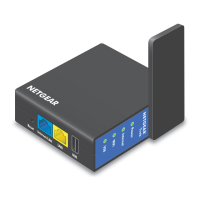
Use the Trek in hotspot mode to connect to a public hotspot. The Trek’s
firewall protects your devices from known DoS attacks and port scans
from the Internet.
CAUTION: Most public WiFi hotspots oer no security. NETGEAR
recommends that you do not send personal information over the Internet
when using a public WiFi hotspot.
NETGEAR
Power
Internet
WiFi
USB
Wired
Power Off
Wireles
¾ To use the Trek in hotspot mode:
1. Connect your Trek to a power source and rotate the antenna.
For more information, see Set Up Your Trek on page 6
2. Set the Internet Mode switch to Wireless.
3. Connect your computer or WiFi device to the Trek.
Trek





 To Next Page

