EasyManua.ls Logo

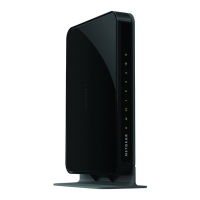
NETGEAR WNHDB3004 - User Manual

NETGEAR WNHDB3004
64 pages
Print Icon
To Next Page IconTo Next Page
Loading...
202-10624-01
November 2010
v1.0
NETGEAR, Inc.
350 East Plumeria Drive
San Jose, CA 95134 USA
3DHD Home Theater
Adapter WNHD3004 User
Manual

Table of Contents

Other manuals for NETGEAR WNHDB3004

Questions and Answers

  • D
    Danielle MooreAug 10, 2025
    How to fix NETGEAR WNHDB3004 if the power light is not on?
    • A
      Alec JonesAug 10, 2025
      If the power light on your NETGEAR Wireless Router isn't lit, ensure the power cord is securely connected and the power adapter is properly plugged into a working power outlet, with the Power On/Off button in the On position. Also, verify that you're using the correct NETGEAR power adapter that was supplied with the router.
  • P
    pwongAug 20, 2025
    What to do if I can't access NETGEAR WNHDB3004 Web Configuration Interface?
    • M
      Mary WeberAug 20, 2025
      If you're having trouble accessing the NETGEAR Wireless Router's web configuration interface, there are a few things you can try: * If you're using a wireless connection, switch to a wired connection. * Ensure your computer's IP address is on the same subnet as the router. * Try closing and reopening your browser, or use a different browser altogether. * Double-check that you're using the correct login credentials. The default login is 'admin' with the password 'password'. Also, make sure Caps Lock is turned off.
  • R
    Randall LeAug 29, 2025
    Why my NETGEAR WNHDB3004 Wireless Router doesn't save changes in Web Configuration Interface?
    • C
      Corey WilliamsAug 30, 2025
      If your NETGEAR Wireless Router isn't saving changes made in the web configuration interface: * Make sure to click 'Apply' before navigating away from the screen or tab where you made the changes. Otherwise, your changes might be lost. * Try refreshing or reloading the page in your web browser. The changes might have actually been applied, but your browser could be displaying an older, cached version of the configuration.

Summary

Setting Up Your Wireless Network

Access Point Mode Setup Guide

Step-by-step instructions for connecting the WNHD3004 to a router in Access Point mode.

WPS Push Button Client Connection

Guide on how to connect wireless clients using the WPS push button feature.

Connecting to the WNHD3004

Accessing the WNHD3004 Web Interface

Details how to log in to the device's web-based GUI to manage settings.

Firmware Update Procedure

Provides instructions on how to check for and install new firmware versions.

Wireless Security

Changing Wireless Security Settings

Guides users on how to view and modify wireless security configurations.

Configuring WPA;WPA2 Wireless Security

Provides instructions for setting up WPA and WPA2 encryption for strong security.

Using Push N Connect (WPS)

Explains the NETGEAR Push 'N' Connect feature based on the WPS standard.

WPS Push Button Connection Method

Step-by-step guide for establishing a WPS connection using the physical push button.

WPS PIN Connection Method

Step-by-step guide for establishing a WPS connection using a PIN.

Restricting Wireless Access by MAC Address

Details how to configure MAC address filtering for enhanced network security.

Changing Administrator Password

Instructions on how to change the administrator password for device security.

Troubleshooting

Restoring Default Configuration and Password

Explains methods to restore factory default settings and the administrator password.

NETGEAR WNHDB3004 Specifications

General IconGeneral
BrandNETGEAR
ModelWNHDB3004
CategoryWireless Router
LanguageEnglish

Related product manuals