ADSL2+ Modem Router User Manual
8
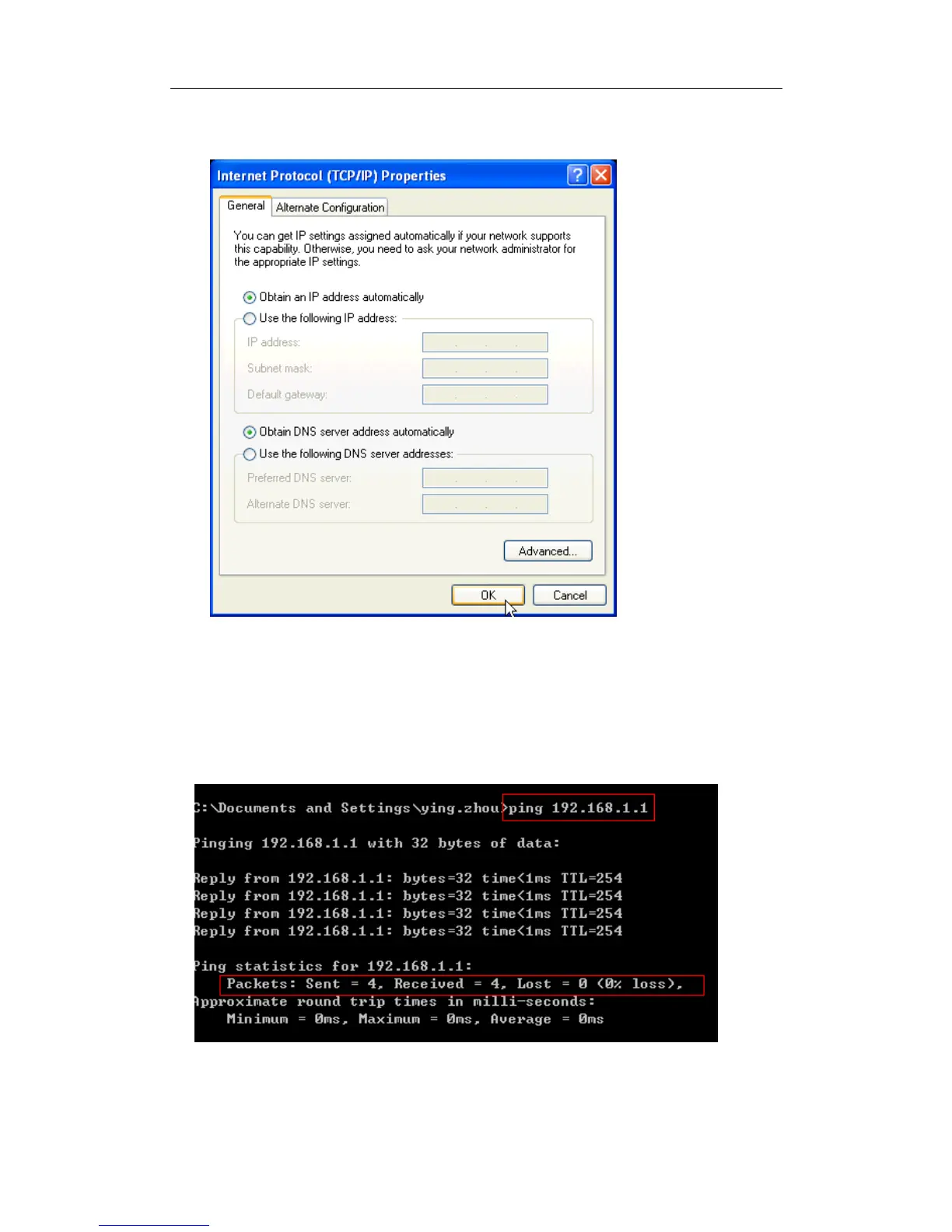
Step 5: Select “Obtain an IP address automatically” and “Obtain DNS server address
automatically” on the screen below. And then click “OK”.
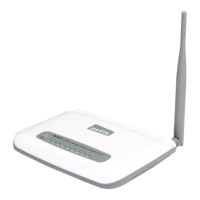
Step 6: Run the Ping command in the command prompt to verify the network connection.
Please click the Start menu on your desktop, select Run tab, type “cmd” in the field, and then
type ping 192.168.1.1 on the next screen, and then press Enter.
If the screen looks like the following, you have succeeded
For Windows Vista/7/8 :
1) Click “Start”, open the “Control Panel”.


 To Next Page