ADSL2+ Modem Router User Manual
42
4.3.1 Route
Choose Advanced , you can see the next submenus:
4.3.1.1 Static Route:
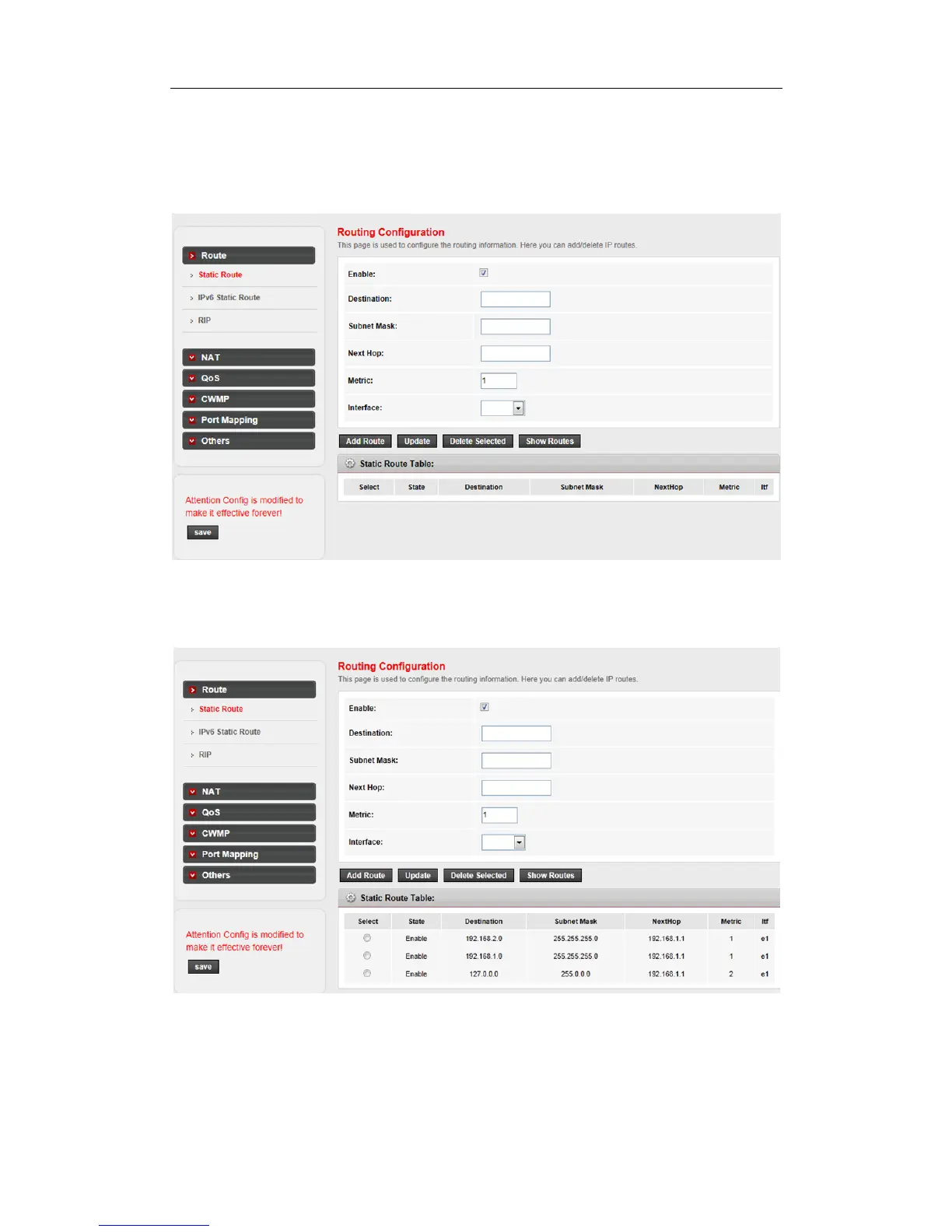
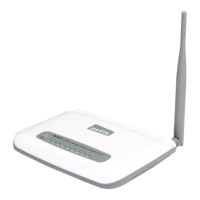
Choose Advanced -> Static Route menu, and you will see the routing table list:
Fill the blank space and click Add Route button to add a new route.
Destination: This parameter specifies the IP network address of the final destination.
Subnet Mask: Enter the subnet mask for this destination.


 To Next Page