ADSL2+ Modem Router User Manual
34
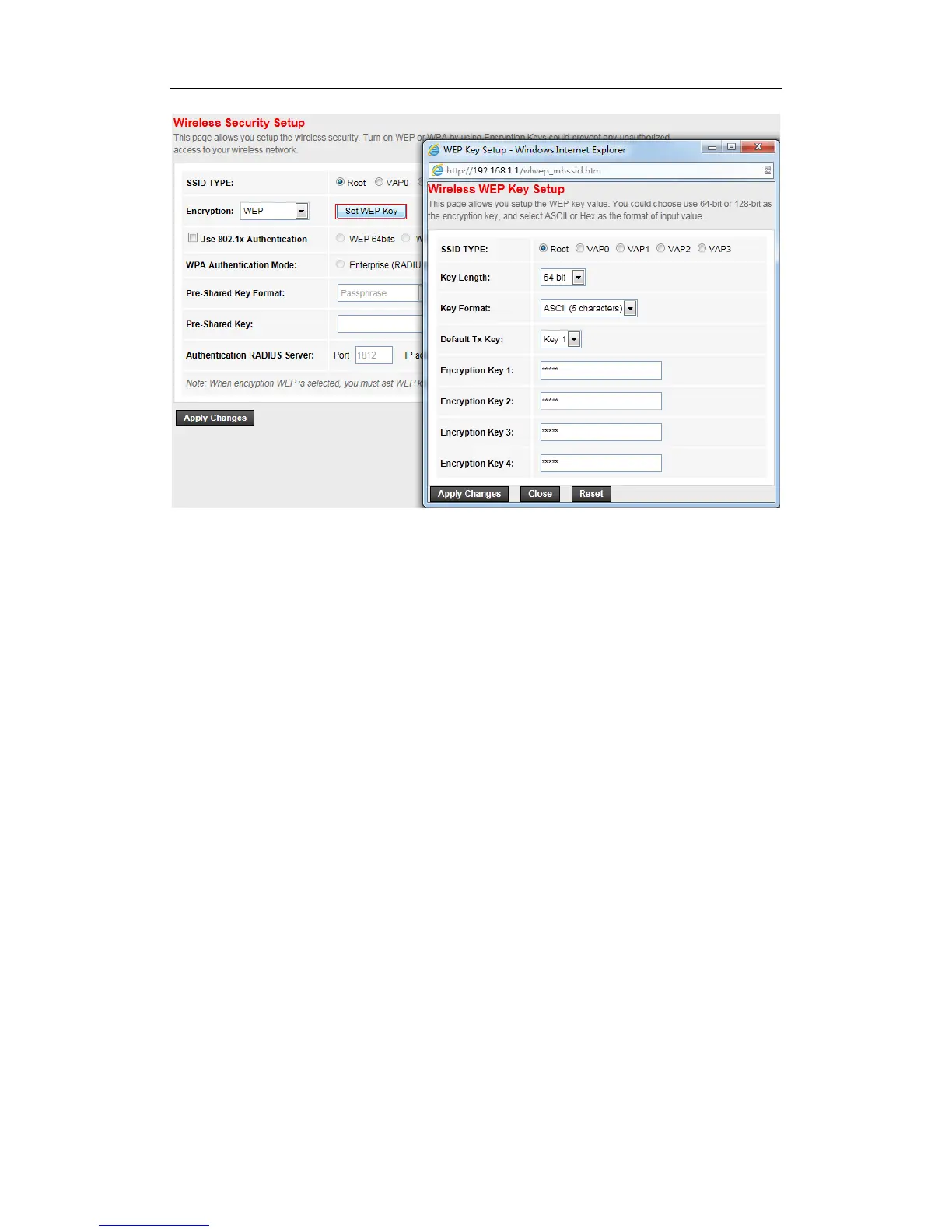
Here you can choose the SSID type (root SSID or virtual Access Point) and set the WEP key length,
key format and Default Tx key.
SSID TYPE: choose the SSID you want to configure, there are can be root SSID or virtual
Access Point
Key Length: the length of the WEP key, it can be 64 bits or 128 bits
Key Format: the format of the WEP key, it can be ASCII or hex
Encryption key: the WEP key
Default Tx Key: you can select one key from the follow 4 Encryption key as the current key
If you want to use 802.1x authentication, you can enable this option on the checkbox. You should
set the port, IP address and password for the authentication radius server.


 To Next Page