4
Go Top ↑
7. Link status LED
。PCIe Gen3 : solid green light
。PCIe Gen2 : fast blinking green light
(2 flashes/second)
。PCIe Gen1 : slow blinking green light
(1 flash/second)
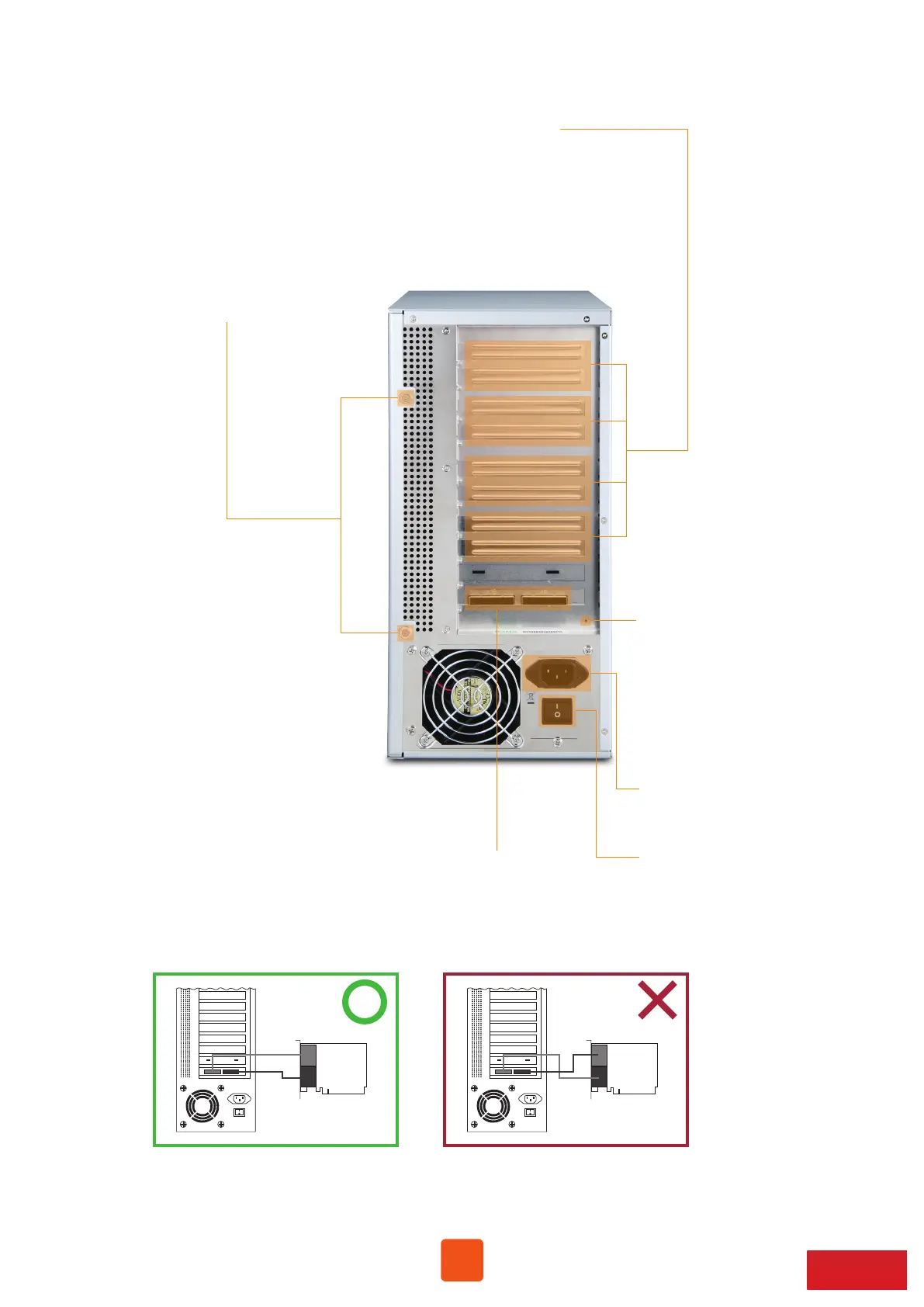
9. PCIe slots
10. Thumbscrews to loosen/
tighten the side door
8. Two external PCIe 3.0 ×8 connectors for host connection
。One port is marked with ×8 for lane 1~8; the other port is marked
with ×16 for lane 9~16. Make straight cable connection between
target card in NA255A and host card in computer with mark ×8
to ×8, and ×16 to ×16. Do NOT make cross cable connection.
5. PSU power switch
6. Power receptacle
X8X16
X8
X16
X8X16
X8
X16



 To Next Page