16
Go Top ↑
5.2 macOS / tower Mac Pro
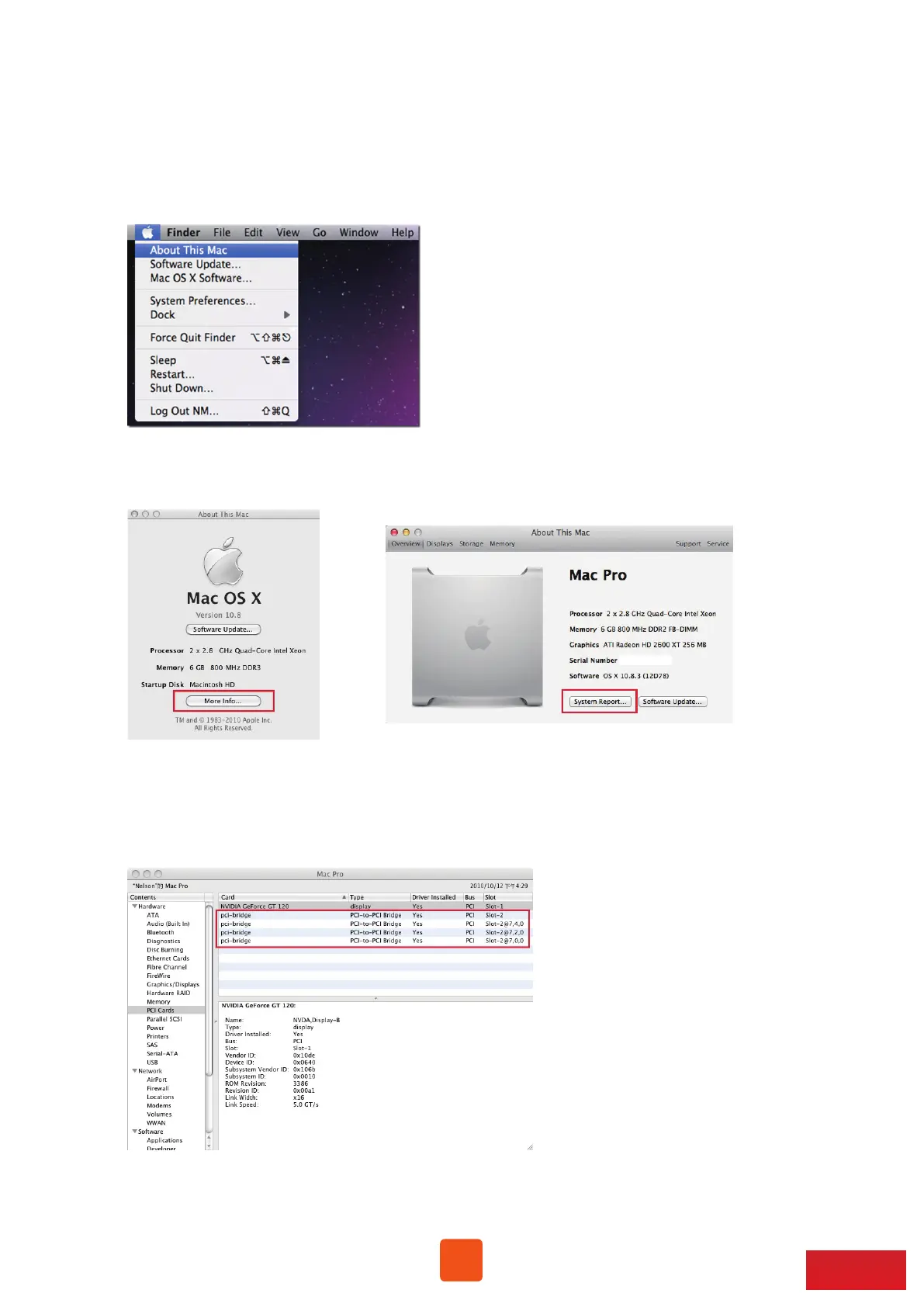
1. To check card verification on macOS at tower Mac Pro, click Apple icon at the
top menu bar, and select About This Mac.
2. As pane of About This Mac pops up, click System Report.
3. Click PCI in the left column. It will show four pci-bridges that indicate the
four PCIe slots in NA255A in the information field.



 To Next Page