14
Go Top ↑
5. Verification
5.1 Windows Operating System
3. There will be PCI Express Root Ports with different ending numbers like 1C10, 1C18, and
1C1A. These different ending numbers indicate the different PCIe slots on computer
motherboard.
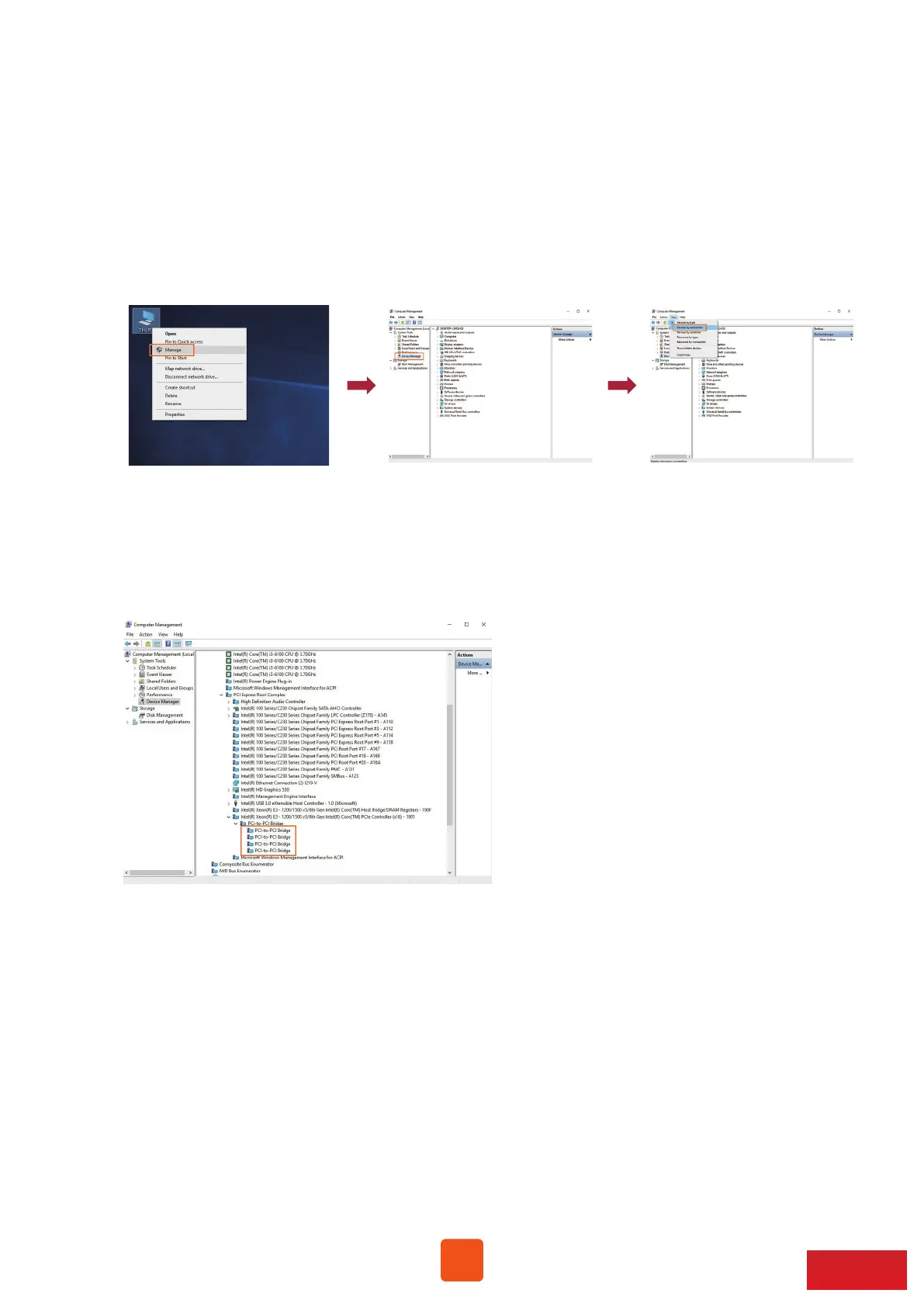
1. Go to Windows’ Device Manager. Click View at the top menu bar, and select
Devices by connection.
2. Open ACPI x64-based PC >> Microsoft ACPI-Compliant System >> PCI Express Root Complex.
Then open PCI Express Root Port >> PCI standard PCI-to-PCI bridge.
The graphics/PCIe cards in NA255A will appear under the PCI standard PCI-to-PCI bridge.



 To Next Page