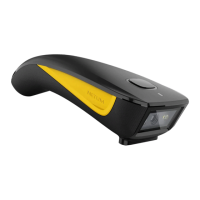
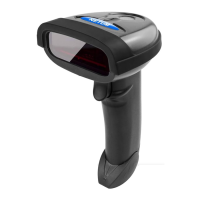
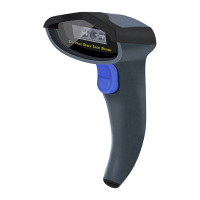
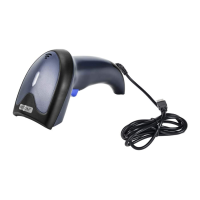
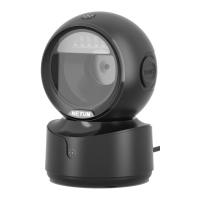
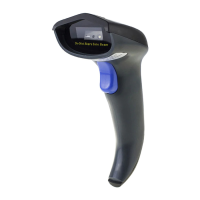
The NETUM barcode scanner is a versatile device designed for efficient and accurate barcode reading across various environments. It offers multiple connection methods, including USB cable, 2.4G USB dongle (wireless), and Bluetooth, providing flexibility for different operational setups. The scanner is engineered for ease of use, with plug-and-play functionality for common configurations and comprehensive programming options for more specialized needs.
Function Description
The primary function of the NETUM barcode scanner is to read and decode various barcode symbologies, converting them into digital data that can be transmitted to a host device. This data can then be used for inventory management, point-of-sale transactions, asset tracking, and other data collection applications. The scanner supports both 1D and potentially 2D barcodes, depending on the specific model (C750, C990, C740 are mentioned as applicable models).
The device features a scanning window, a power button for turning it on and off, and a trigger button to initiate scanning. Indicator lights provide visual feedback on battery status (green/blue/red), read success, Bluetooth connection status (blue/white), and charging status. An integrated beeper provides audible feedback for successful scans, connection status, and warnings. For convenience, a lanyard eyelet is included for secure carrying, and a dedicated pin is available for charging.
The scanner operates in different modes to accommodate various host devices and application requirements:
- Basic Mode (HID - Human Interface Device): This is the default mode and requires no software installation. The scanner connects to most devices and interacts with the host device as a standard keyboard, directly inputting scanned data.
- Application Mode (Apple Specific Serial Profile): Designed for Android or Windows devices, this mode requires software installation on the host. It is recommended when an application specifically supports this communication profile, offering more advanced data handling capabilities.
- Application Mode (Serial Port Profile): This mode is tailored for iOS devices. It is used when an iOS application supports NETUM scanners via a serial port profile, enabling specialized data exchange.
The scanner also supports different transmission speeds via Bluetooth (High, Medium, Low), allowing users to optimize performance based on their specific needs and environment.
Usage Features
The NETUM barcode scanner is designed with several features to enhance its usability and adaptability:
Connection Flexibility:
- USB Cable: A straightforward wired connection that offers plug-and-play functionality, especially with US keyboards. For other keyboard layouts, language configuration is required.
- 2.4G USB Dongle (Wireless Mode): Provides wireless freedom by plugging a USB dongle into the host device. Similar to the USB cable, it's plug-and-play for US keyboards, with language configuration needed for others. In this mode, the scanner's transmission simulates USB keyboard input (HID-KBW). It can also function as a Virtual COM port, allowing the device to receive data as a serial port would.
- Bluetooth: Enables wireless connection to Bluetooth-enabled devices. Users must scan a "Working via Bluetooth" command barcode to activate this mode and pair the device. The scanner provides visual cues (blinking/solid blue light) to indicate connection status.
Data Handling and Storage:
- Normal Mode: In this default mode, scanned data is immediately transmitted to the connected host device.
- Store Mode: Ideal for working outside the Bluetooth signal range. In this mode, all scanned data is stored directly in the scanner's buffer memory. Data entries are permanently saved until manually uploaded to the working station when the scanner is back in range. This feature ensures no data loss during offline operations. Users can output stored data, output the total number of entries, and clear the memory as needed.
Customization and Programming:
The scanner is factory-programmed with common settings, but users can customize various parameters by scanning specific command barcodes provided in the manual. These include:
- Firmware Version Check: Users can scan a barcode to display the current firmware version.
- Keyboard Language: Supports multiple keyboard layouts (America EN, French, German, Italian, Portuguese, Spanish, UK, Hungarian, Turkey Q, Turkey F), ensuring compatibility with different regional systems.
- Idle Time: Configurable time period for the scanner to enter sleep mode, helping conserve battery life. Options include 0 minutes (always on), 10 minutes, and 30 minutes.
- Convert Case: Allows modification of scanned data's case (Disable Convert Case, Up Low Case Swap, All Upper Case, All Lower Case).
- Beep Volume: Adjustable beep volume (High, Low, Mute) to suit different working environments.
- Function Key Mapping: When enabled, function characters are sent over the keypad, which can be useful for specific applications requiring special key inputs. This feature is particularly relevant for correctly formatting data like datamatrix GS1, enabling the scanner to output group separators.
Important Notes for Usage:
- Many command barcodes are specific to a particular connection mode (Bluetooth, Wireless, or USB Wired), indicated by symbols in the manual. Users must ensure the scanner is in the correct mode before scanning these commands.
- When shifting between HID, SPP, or BLE modes, users need to follow a specific procedure: ignore/delete "Netum Bluetooth" from the host, turn off Bluetooth, scan the command barcode for the desired mode, then reopen Bluetooth and re-pair.
Maintenance Features
While the manual primarily focuses on operational features, some aspects contribute to the device's maintenance and longevity:
Battery Management:
- Battery Light/Read Indicator: Provides clear visual cues regarding the battery charge level (Green/Blue/Red) and read status.
- Low Power Warning: The scanner emits 5 beeps and flashes a red LED 5 times to indicate low power, prompting the user to charge the device.
- Charging Indicator: A solid red LED indicates charging, while a solid green LED signifies a full charge.
- Idle Time Configuration: The ability to set an idle time before the scanner enters sleep mode helps conserve battery life, reducing the frequency of charging and extending the overall battery lifespan.
Troubleshooting and Support:
The manual includes a comprehensive FAQ section addressing common issues:
- Unreadable Barcodes: Provides guidance on dirty/unclear barcodes and the need to activate specific barcode types that might be off by default. Users are directed to the official website for a full manual or to contact support.
- Terminator Configuration: Instructions for changing terminators (e.g., to TAB) are available in the full manual.
- Prefix/Suffix Management: Information on applying or removing prefixes and suffixes is found in the full manual on the official website.
- Messy Code Problem: Addresses issues with foreign languages by directing users to the "Keyboard Language" section to configure the correct layout.
- Specific Barcode Reading Issues: Provides solutions for reading specific codes like Italy Pharmacy code (Code32) and add-on 2 or 5 codes, requiring activation via command barcodes after consulting the full manual.
- Datamatrix GS1 Format: Explains how to enable "Function Key Mapping" to ensure correct output format for datamatrix GS1, including group separators.
Documentation and Support:
NETUM provides extensive support through its official website (www.gzxlscan.com), where users can download full manuals for specific models (C750, C990, C740). Contact information for customization, price inquiries, and after-sales service (Tel, Whatsapp, Email) is readily available, ensuring users can get assistance for any configuration or operational issues. This commitment to support helps users maintain their devices and resolve problems efficiently.
The NETUM barcode scanner is a robust and adaptable tool, designed to meet diverse barcode scanning needs with its flexible connectivity, intelligent data handling, and comprehensive user support.

 Need help?
 General

 To Next Page