Operator’s Handbook
Capitolo: Operator interface
Operator interface
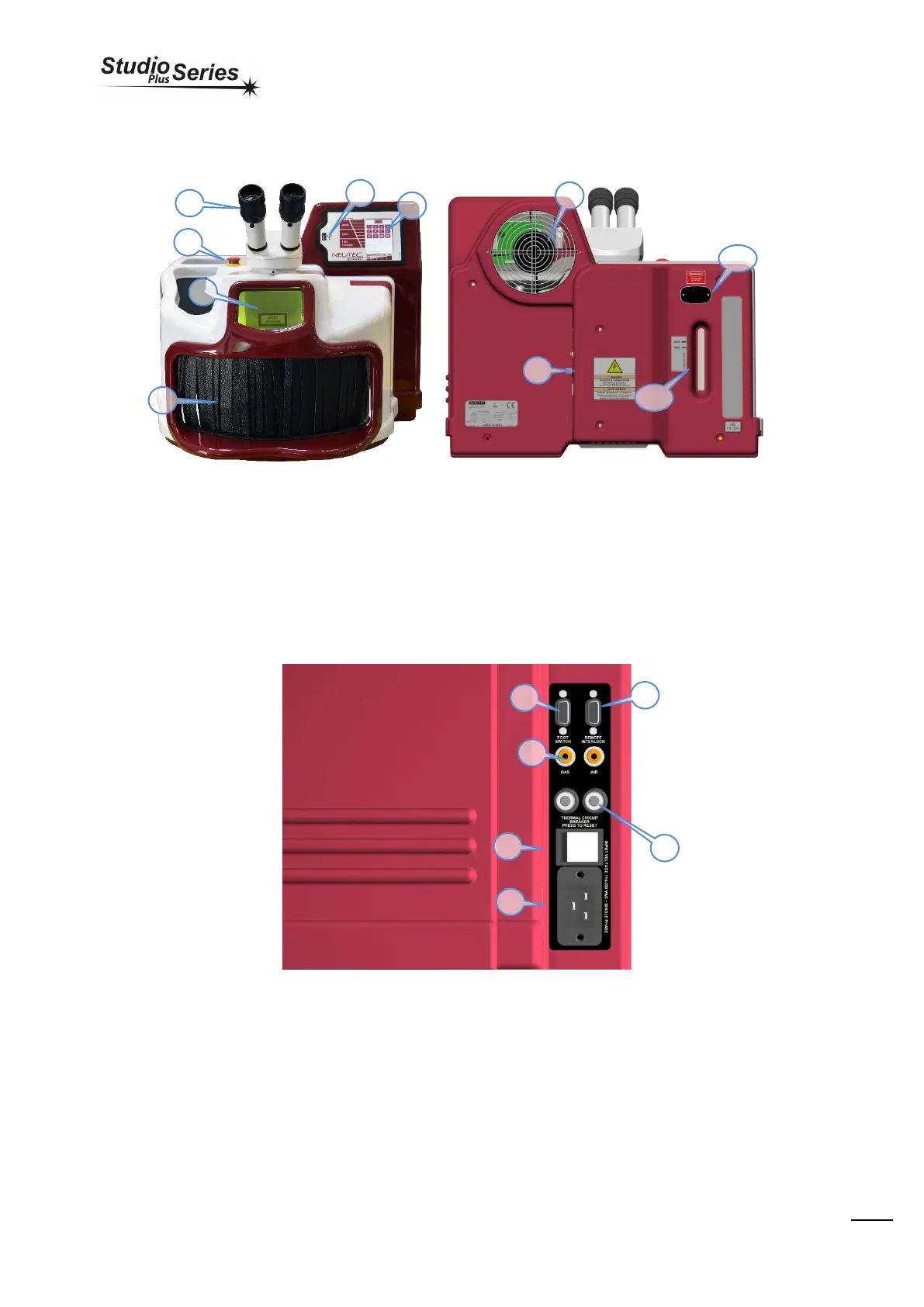
Controls and indicators
2. Inspection window with 1064 nm LASER ray filter.
3. Working chamber access doors.
4. Display with touch-screen for user setup parameters.
5. Emergency switch
6. USB key
7. Back connection (see paragraph)
8. Radiator cooling, do not cover, leave at least 5cm of free
space between the rear side and the wall.
9. Water level, for the proper equipment functioning, the
cooling level must always reach the MAX. Use bi-distilled
water ONLY for refilling/filling up.
10. Opening hosting pipes for filling/empting water tank.
Back connection
2. Power outlet
3. Main power switch
4. Shielding Gas/Air input
5. Foot switch connector
6. Remote interlock
2
3
1
7
10


 To Next Page