Operator’s Handbook
Use
Turning on the device
Move the power switch located on the front of the device to position I. Wait until the display shows the PIN entry screen.
Emergency Stop
The emergency button (see page. 14) is used to immediately switch off the device; This button is equipped with a safety feature, once it is
pressed it must be released to power the unit up again. Use the button only in case of danger or failure.
Example of practical use
This section describes practical use of the device and explains the laser welder menu.
PIN menu
In PIN Menù screen it’s possible to read the follow informations:
- Serial number of the unit
- Firmware revision of the display’s board
- Firmware revision of the microprocessor board
- Laser shots counter
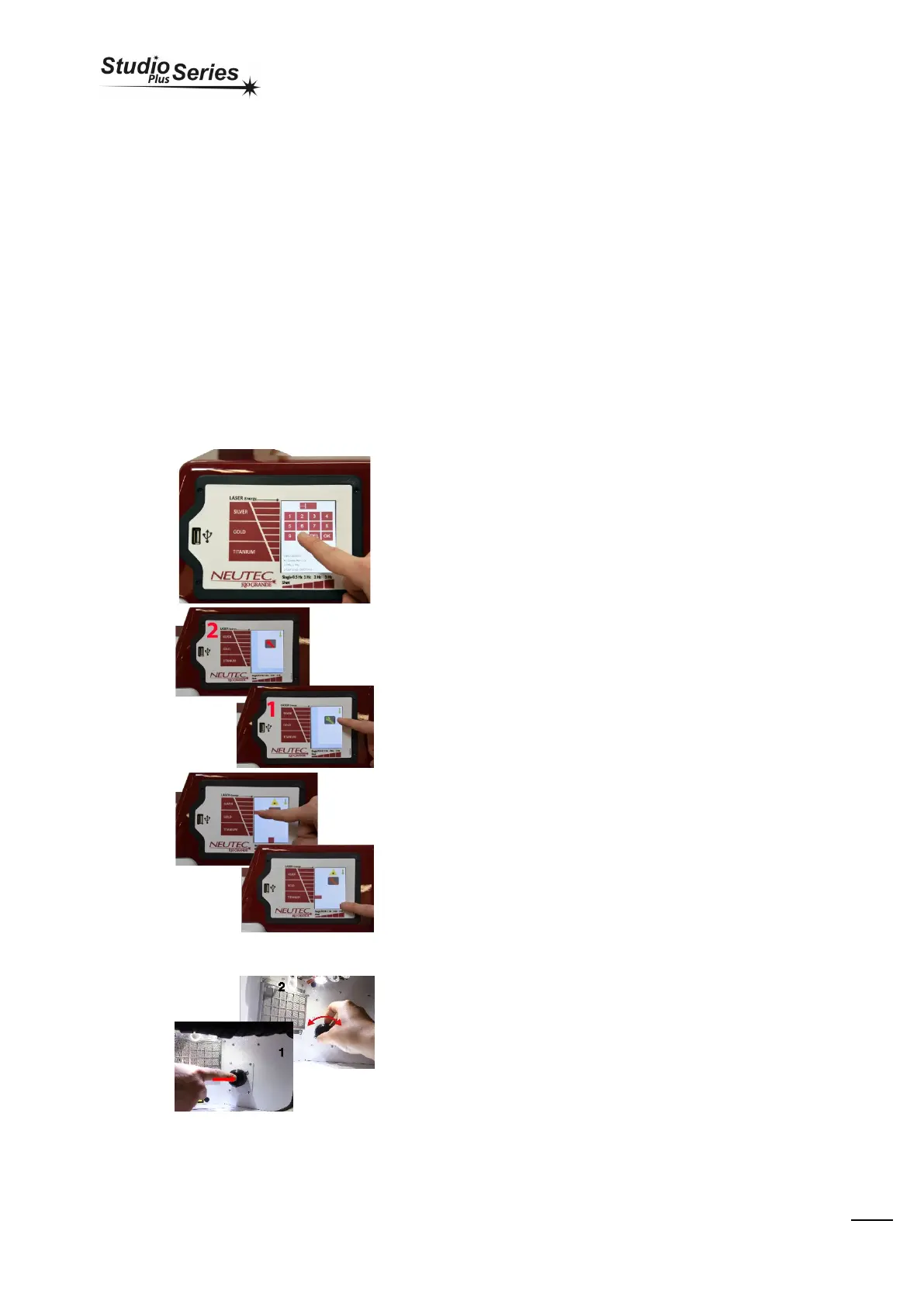
Digit the numeric code “0000” and press “OK” to enter the stand-by
mode.
To make the machine operational, press and hold fo a second the
GREEN-key icon (Pic.1) and wait for it to become RED (Pic.2).
Operators may always interact with working parameters using the
touch-screen display. On the left side of the screen we can select the
energy of the impulse (intensity X duration of the impulse). On the
lower side of the display we can change the frequency of the shot in
time(shots per second). The maximum frequency is limited according
to the energy of the selected pulse.
Pressing the rotary switch (Pic.1), changes the val ue of the shot
frequency (l ower part of the di spl ay). If operator spi n the rotary
instead, the val ue of the power set wil l be changed (left side of the
display).


 To Next Page