EasyManua.ls Logo

Nevco SCD-5 - User Manual

Nevco SCD-5
20 pages
Print Icon
To Next Page IconTo Next Page
Loading...
Rev. 3/23/2018 135-0248
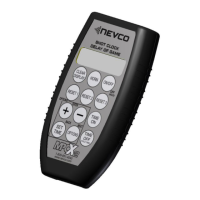
Scoreboard Operator’s Instructions
MPCX2 SCD / DGT / Pitch Time
Since 1934
Retain this manual in your permanent files
Question and Answer IconNeed help?

Do you have a question about the Nevco SCD-5 and is the answer not in the manual?

Summary

Startup Guide

Keyboard Functions

Greeting Screen

Explains the initial screen shown when the control is powered on, including software version and scanning status.

Main Screen

Displays reset times, timer status, and current preset times for reset keys. Allows immediate timer reset.

Set Time Screen

Allows setting miscellaneous time and programming desired preset times into the three RESET keys.

Using the Shot Clock Controller in Conjunction with a Basketball Controller

Options Menu

Standard Options

Allows configuration of basic settings like scoreboard clearing and electronic team names.

Advanced Options

Provides access to advanced settings, receiver linking, and scoreboard model configuration.

MPCX2 Control; Receiver Setup Procedure

Mating a New Control to Receiver(s)

Guides on linking the MPCX2 control to the scoreboard receiver by entering receiver ID.

Setting the Control for Your Model of Scoreboard

Configures the control to operate with specific scoreboard models by entering a code and selecting options.

Multiple Receivers and Controllers

Explains how to use multiple controllers and receivers on the same network for coordinated operation.

Troubleshooting Chart

LED Status

Receiver Identification on Powerup

Describes how to identify receivers by flashing digits during power-up for correct OCM connection.

Summary

Startup Guide

Keyboard Functions

Greeting Screen

Explains the initial screen shown when the control is powered on, including software version and scanning status.

Main Screen

Displays reset times, timer status, and current preset times for reset keys. Allows immediate timer reset.

Set Time Screen

Allows setting miscellaneous time and programming desired preset times into the three RESET keys.

Using the Shot Clock Controller in Conjunction with a Basketball Controller

Options Menu

Standard Options

Allows configuration of basic settings like scoreboard clearing and electronic team names.

Advanced Options

Provides access to advanced settings, receiver linking, and scoreboard model configuration.

MPCX2 Control; Receiver Setup Procedure

Mating a New Control to Receiver(s)

Guides on linking the MPCX2 control to the scoreboard receiver by entering receiver ID.

Setting the Control for Your Model of Scoreboard

Configures the control to operate with specific scoreboard models by entering a code and selecting options.

Multiple Receivers and Controllers

Explains how to use multiple controllers and receivers on the same network for coordinated operation.

Troubleshooting Chart

LED Status

Receiver Identification on Powerup

Describes how to identify receivers by flashing digits during power-up for correct OCM connection.

Nevco SCD-5 Specifications

General IconGeneral
BrandNevco
ModelSCD-5
CategorySports & Outdoors
LanguageEnglish

Related product manuals