5
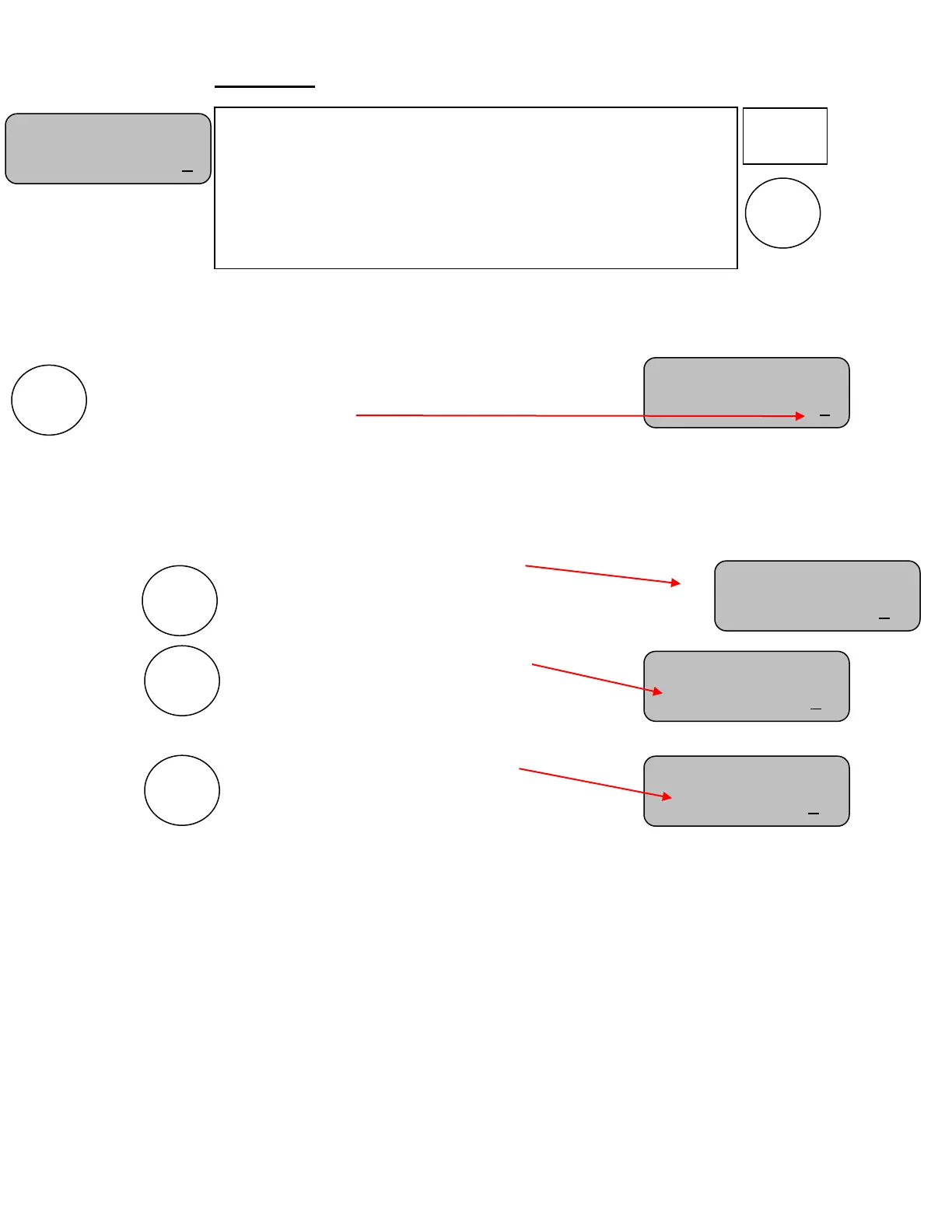
SET TIME screen
Note: The SET TIME is active only if the time is stopped. To edit the unique Set Time, please stop
the time.
The first press of the SET TIME key brings up a screen for setting the
displayed time. Use the “+” or “-” keys to select the time (0-199).
Note: Only the Pitch Timer is able to go up to 199. For Shot clock the timer will only go up to 69. It is capable of counting
down from 199 but the display will not display proper time until 69 seconds are left.
Note: Hold the key down for fast advance.
Note: If the OCM is Rev. K or newer then the DGT will display and count down from 99 seconds. Else, the OCM will count
down from 99 seconds but will only display the tens place at 69 seconds and lower.
Press again to set the RESET 1 time:
Use the “+” and “-” keys to enter the desired preset time.
Note: Hold the key down for fast advance.
Press again to set the RESET 2 time:
Use the “+” and “-” keys to enter the
desired preset time.
Note: Hold the key down for fast advance.
.
Press again to set the RESET 3 time:
Use the “+” and “-” keys to enter the
desired preset time.
Note: Hold the key down for fast advance.
Note: Any of the three programmable Reset keys can be set to any number of seconds from 0 to 199.
Note: To return to the main screen, press the TIME OFF key.
Note: Some timers will display tenths of seconds while others display only whole seconds. In all cases the time is divided into
fractions of a second for greater accuracy. It may be possible to start and stop the time and see no change in the displayed time even
though several fractions of a second may have been counted off. The fractions of seconds are always cleared when a new time is set.
Set Time:
SCD/DGT Time: 0
Set Time:
Reset 2 Time: 30
Set Time:
Reset 1 Time:15
Set Time:
Reset 3 Time:35
SET TIME
This screen is for setting a special miscellaneous time into the
timer. It also provides a way to program the desired times into
each of the three RESET keys. These keys can then be pressed at
any time to instantly load the timer with each keys reset value.
Note: Press the TIME OFF key at any time to return to the main
screen.
Set Time:
SCD/DGT Time:20


 To Next Page