3-CONTROLSANDINSTRUMENTS
CONTROLHANDLES
Switchcongurations
Thefollowingfunctionscanbeactivatedfromthecontrolhandlesdependingonyourmachine’sconguration.
•
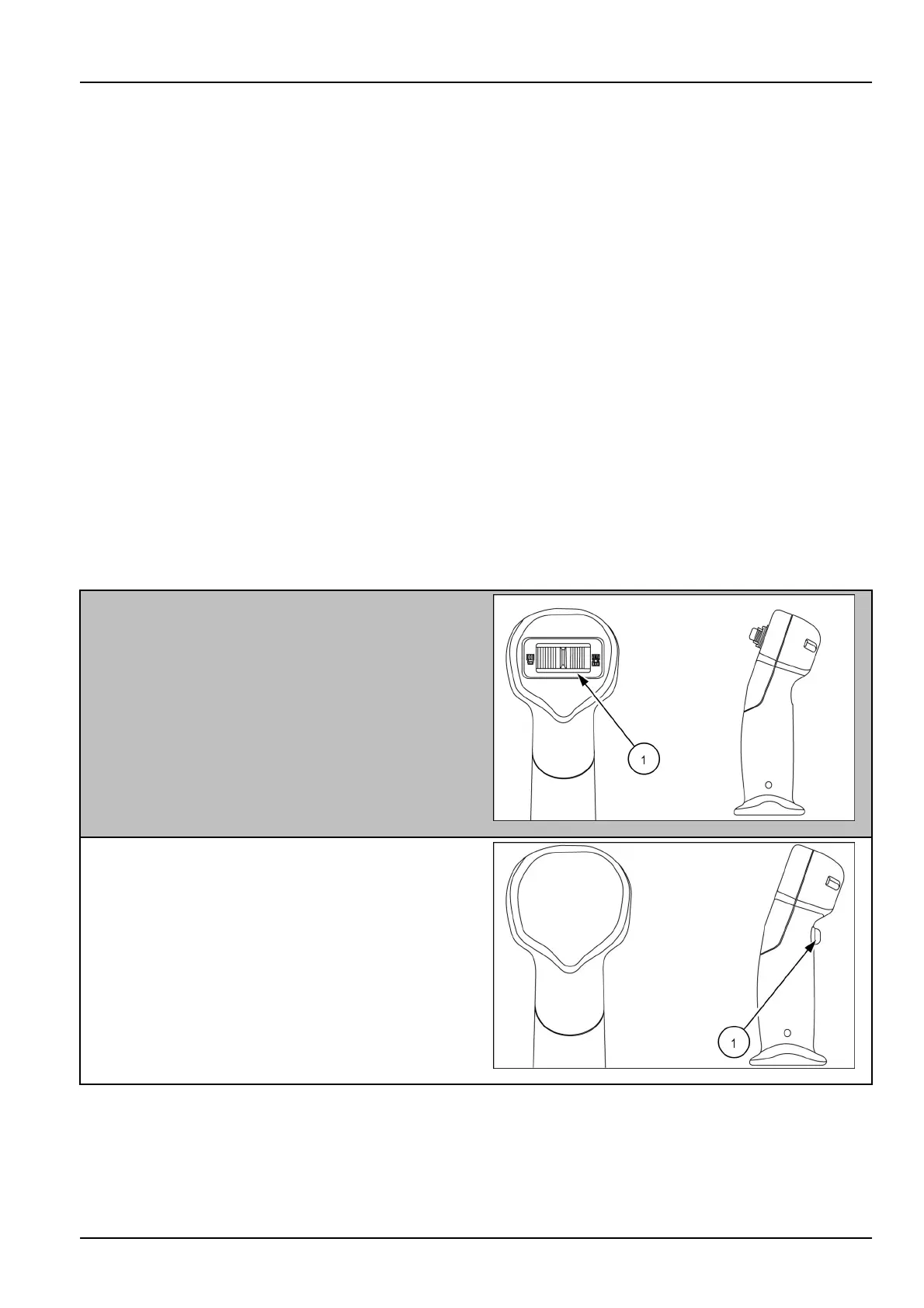
Horn—Pressthehornbuttontosoundthehorn.
•
Proportionalauxiliary—Activatethehydrauliccomponentattachedtothestandardorhighowauxiliaryhydraulic
ports.
•
2ndauxiliaryhydraulics—Activatethehydrauliccomponentattachedtothesecondaryauxiliaryhydraulicports.
•
Highow/Enhancedhighow—Activatethehydrauliccomponentattachedtotheenhancedhighoworhighow
auxiliaryhydraulicports.
•
2Speed—Pressthetortoiseoncetodownshiftfromsecondgeartorstgear.Presstherabbittoshiftbackto
secondgear.Formoredetailsreferto3-28.
•
Glideride—Pressandholdtoactivategliderideandreleasetodeactivate.Glideridereducesmachinerocking
motionduringtransportandmaterialhaulingoperations.Whenengaged,loaderdownpressureislimitedtothe
weightoftheloaderplustheattachment,andalsoreducesshockloadstothemachine.Theweightoftheattach-
mentishydraulicallycushionedduringtransport.
•
Float—Presstoactivateordeactivatetheliftarmoatfunction.Whenoatisactivated,theliftarmwilloatover
thegroundcontourthemachineistravelingover.Formoredetailsrefertopage3-17fortheHcontrolpattern,and
page3-22fortheISOcontrolpattern.Mechanicalunitsdonothaveaoatswitch.
•
Multi-functional#1,#2,#3,and#4—Presstocontroladditionalcomponentsattachedtothemachine.Refertothe
owner’smanualoftheattachmentforoperatingfunctions.
Level100
Rightside
(1)Proportionalauxiliary
RAIL14SSL0310AA1
Leftside
(1)Horn
931094032
3-23



 To Next Page
 Loading...