www.newrocktech.com
5-40
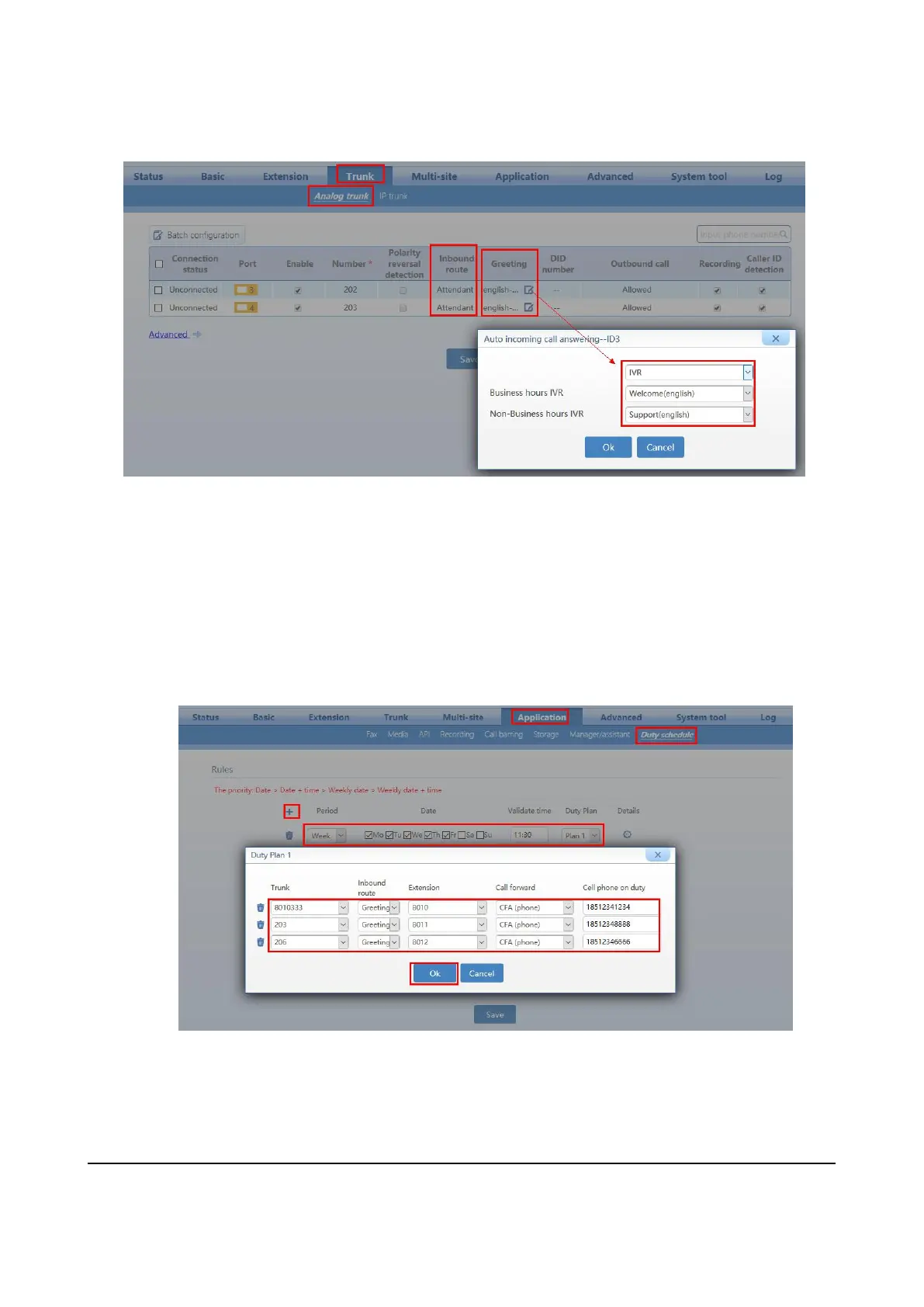
Step 5 On Trunk > Analog trunk or IP trunk page, set the inbound route to Attendant and set the
greeting for the trunk to assign an IVR for business hours and Non-business hours.
5.3 Making an Auto Attendant with Scheduled Routing Rules
Step 1 Log in to OM20 as Admin account
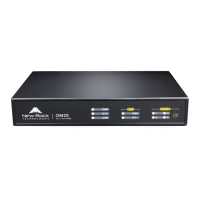
Step 2 On Application > Duty Schedule
, select week or month for the Period , and select which the day of
the week or fill in the specific day of the month for Date, input the time for the Validate time, and
create the Duty Plan according to the given template ( fill in the trunk number , inbound route, extension
number , call forward mode and the cellphone number)
Step 3 Click Save to save the configuration.
Step 4 You can create the Duty schedule upto 30 plans.


 To Next Page