053003
N E W C O E N T E R P R I S E S, I N C
LCD TVT Control Vs 25228-1
INTRODUCTION
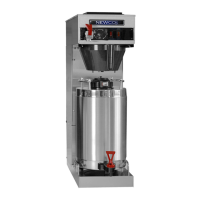
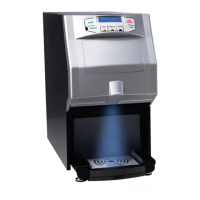
This brewer incorporates our latest TVT controller technology. At the heart of the system is a LCD display
with digital readout and icons indicating brewer functions. The end user need only set 3 brew criteria for each of
the 3 brew profiles. Simply tell the brewer how hot (Temperature), how much (Volume), and how long (brew
Time) for each brew profile. An additional programming mode allows control of additional features such as sentry
timer, visa-brew time, calibration for flow rate, and display of temperature and volume units. All set from the front
control panel using a digital display for precise control. The following pages will explain the control features and
the process required to program your unit.
Power Up Modes
Once the brewer has been connected to a water supply, you are ready to plug unit in. When plugging
brewer in it will go into one of three power up modes. These modes are; access to factory settings, load default
settings, and normal mode. Normal mode will be discussed first.
Normal Power Up Mode – This is the mode used for setting up a new piece of equipment from the factory. This
mode will be automatically selected by plugging in the brewer without holding in any of the controllers buttons.
When the brewer is initially plugged in the heater element will turn on momentarily in an attempt to heat
the cold tank. Note: tank heating will be indicated by the thermometer icon at the top left edge of the display. The
controller will monitor the rate of temperature rise in the tank. If the tank has not been manually filled the rate of
the temperature increase in the tank will exceed a preset value and the element will shut down. The thermometer
icon will go out to indicate heating has stopped and the display will prompt for user to “Fill” while the brewbasket
icon flashes. Ensure that brewbasket is in place. Place a suitable container beneath brewbasket to catch any
excess water. Depress any of the three buttons below the display to fill the tank. The brewer will now allow the
fill valve to dispense 160 ounces of water into tank. The brewer will not heat until the fill cycle has been
completed. This feature may be bypassed by entering and exiting program mode.
Once the unit has been filled, it will enter its idle mode. The brewer is considered idle when it is powered
up but is not yet brewing and no settings are being adjusted. If the heater is on, the display will show the
thermometer icon. If the unit is at least 1 degree away from set point temperature the happy face icon will turn on
and the thermometer will pulse in synchrony with the heater as it maintains proper temperature. If the tank
temperature is above set point, both the thermometer icon and tank heater will remain off. See “User Program
Mode” to set brew profile information.
Access to Factory Settings – This mode allows control of additional features such as sentry timer, visa-brew time,
calibration for flow rate, and display of temperature and volume units. This mode may be selected by holding
center button for 2 seconds when first plugging unit in. Increment values up and down using right and left buttons
when appropriate parameter is displayed. The following are the parameters that may be set in this mode and the
icon that displays for each.
a) Temperature display - (Thermometer icon flashes) Temperature may be displayed using either
ºF or ºC. Selected unit is shown in main display area as well as to the right in a smaller font.
b) Volume Display - (Pot icon flashes) Volume may be displayed using either units of ounces or
liters, Oz or L. Selected unit is shown in main display area as well as to the right in a smaller font.
Liters will be displayed in increments of .05. (.05L = 1.69oz).
Continued on next page

 Need help?
 General

 To Next Page