20
CIRCULATING FAN MODEL NBK-100
Optional for NC100E (Newmac Classic I EPA) and NCM120E (Newmac Classic II EPA, Mobile) ONLY
NO OTHER CIRCULATING FAN IS CERTIFIED FOR THESE HEATERS
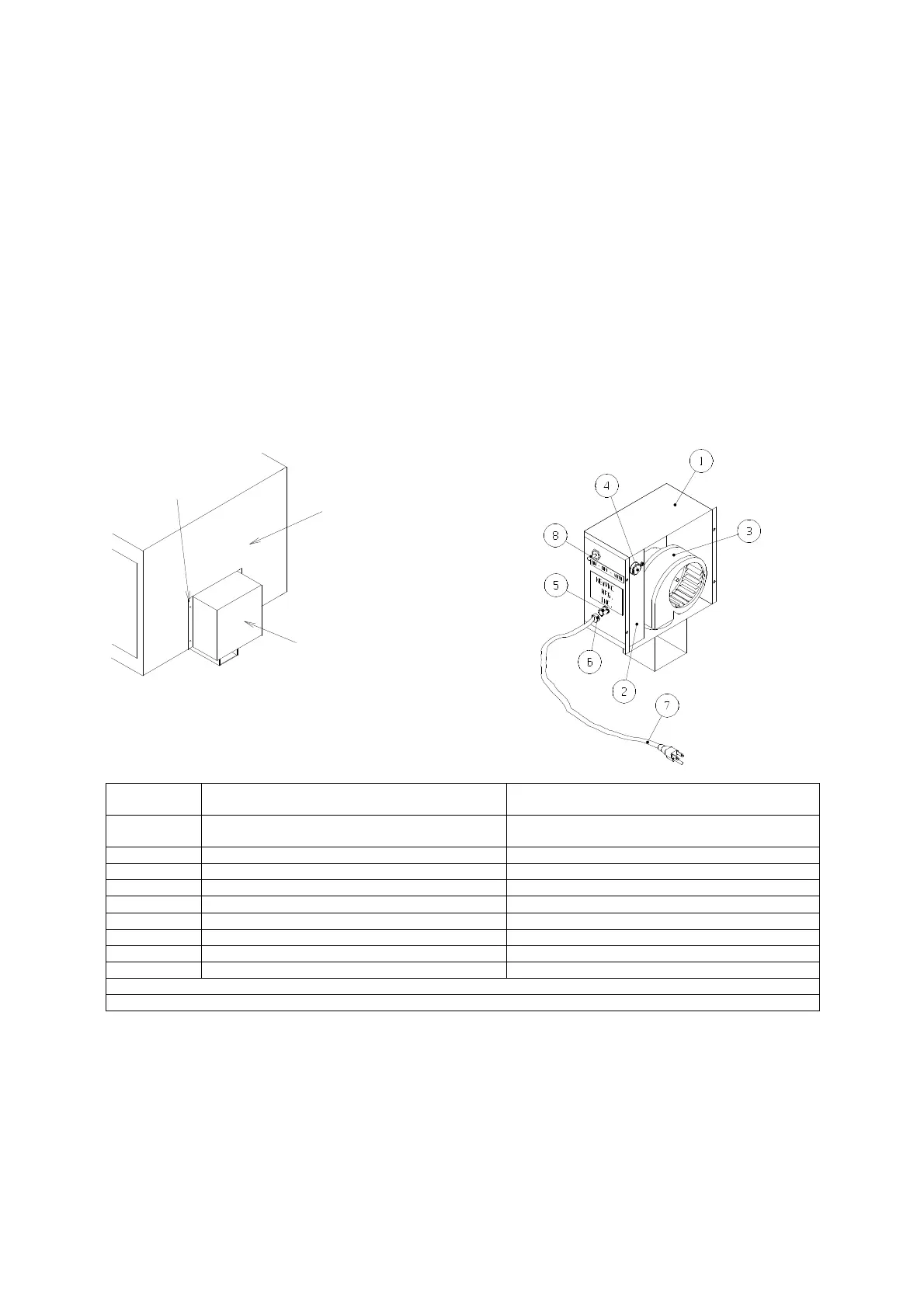
INSTALLATION: To install on heater, place outlet of fan box assembly into air duct located at bottom of rear panel.
Then attach fan assembly to rear panel with sheet metal screws provided. (Use #30 Drill). Make sure that the power
supply cord to the fan box is protected from possible damage.
OPERATION: Use 115V 60Hz 1PH AC current only.
1. After the heater is in operation, and the toggle switch is in the automatic position, the circulating fan will operate. It
is controlled by a built-in heat sensing fan switch.
2. The heater back panel must get hot to operate the fan switch, which controls the blower motor. The disc thermostat
fan switch must touch the rear panel when set in the automatic position.
3. Normally it takes 30-45 minutes for the fan on the heater to operate after starting.
4. The circulating fan may also be set for continuous operation by setting the switch in the “ON” position.
Oil the blower motor twice a year with (2) drops of S.A.E. 30 oil
Heater rear
Optional blower
NBK-100
Classic Models NC100 and NCM120
Secure with sheet
metal screws
Key No. Part No. DESCRIPTION
1 2220035*
Fan Housing Assembly
2 2220035* Inside Bracket
3 2220035* Fan Motor
4 2040033 Disc thermostat
5 2220035* Snap Bushing
6 2220035* Strain Relief
7 2220035* Cord with Plug
8 2040034 Toggle Switch
* Part Number 2220035 is a sub-assembly including all the parts indicated


 To Next Page