Newpoint Technologies, Inc. COMP-USER-006
Salem, NH 03079 Rev. 3.2 –01/31/01
39
Note
This path to the dglsetup executable file is only applicable if
you installed the program to the default location suggested during
the installation process. If you chose to install Newpoint
Compass to another location on your hard drive, use the Browse
button to search for and select the file in the alternate location.
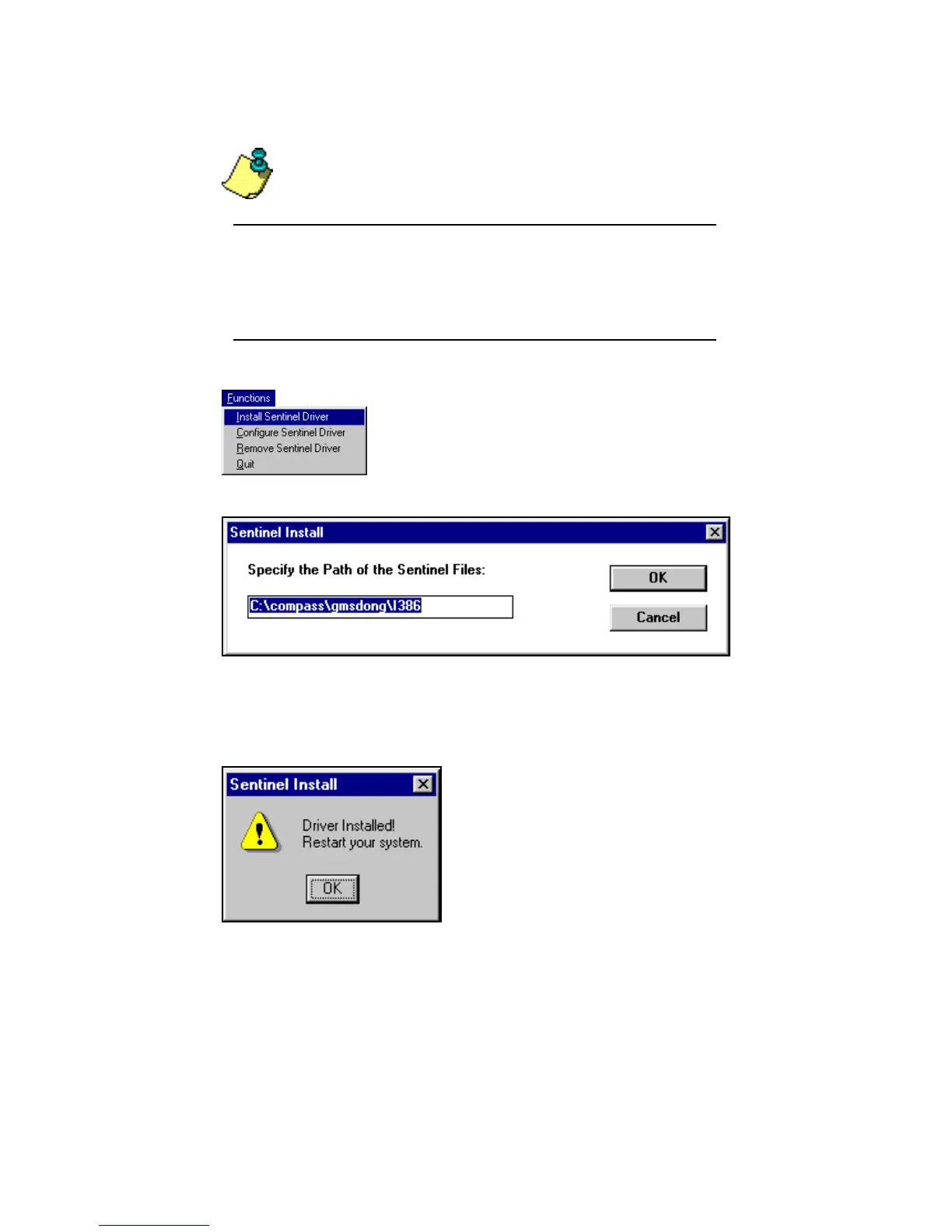
Figure 24 Installing the Sentinel Driver
Accept or edit the path to the Sentinel files (installed to the directory
shown above in a standard installation), and click on OK to continue.
Within a few seconds, a confirmation window appears to verify that
the key is successfully installed. As the confirmation message
requests, close all open applications and reboot your system.
Newpoint Compass is now ready to use.
The Sentinel Driver Setup Program screen
displays a single Functions Menu. On the menu,
select Install Sentinel Driver.



 To Next Page