PART 2
SETUP
Refer to the Quick Start Guide for assembly and disassembly
instructions.
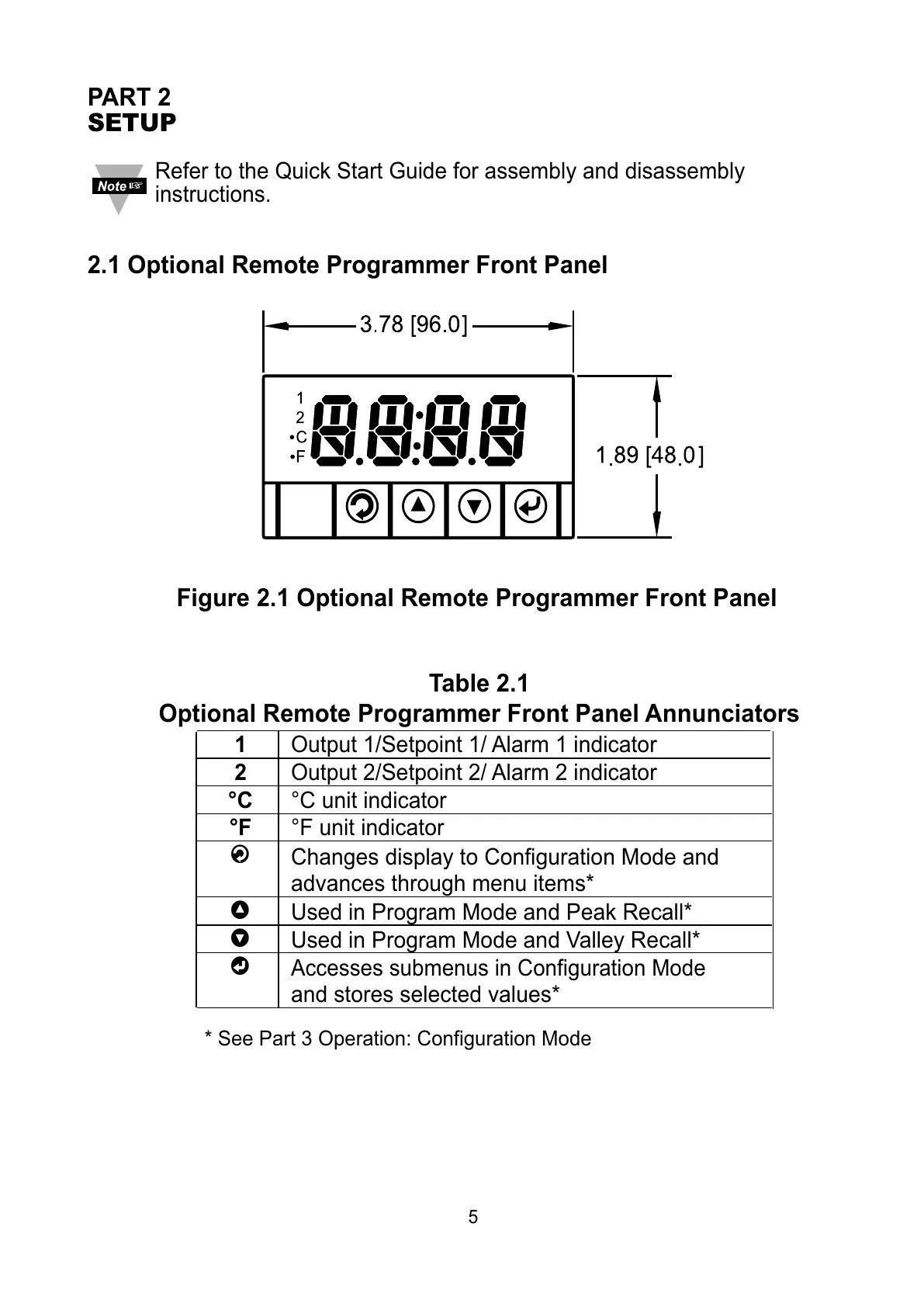
2.1 Optional Remote Programmer Front Panel
Figure 2.1 Optional Remote Programmer Front Panel
Table 2.1
Optional Remote Programmer Front Panel Annunciators
1 Output 1/Setpoint 1/ Alarm 1 indicator
2 Output 2/Setpoint 2/ Alarm 2 indicator
°C °C unit indicator
°F °F unit indicator
a
Changes display to Configuration Mode and
advances through menu items*
b
Used in Program Mode and Peak Recall*
c
Used in Program Mode and Valley Recall*
d
Accesses submenus in Configuration Mode
and stores selected values*
* See Part 3 Operation: Configuration Mode
5



 To Next Page
 Loading...