PARTSANDFUNCTIONS
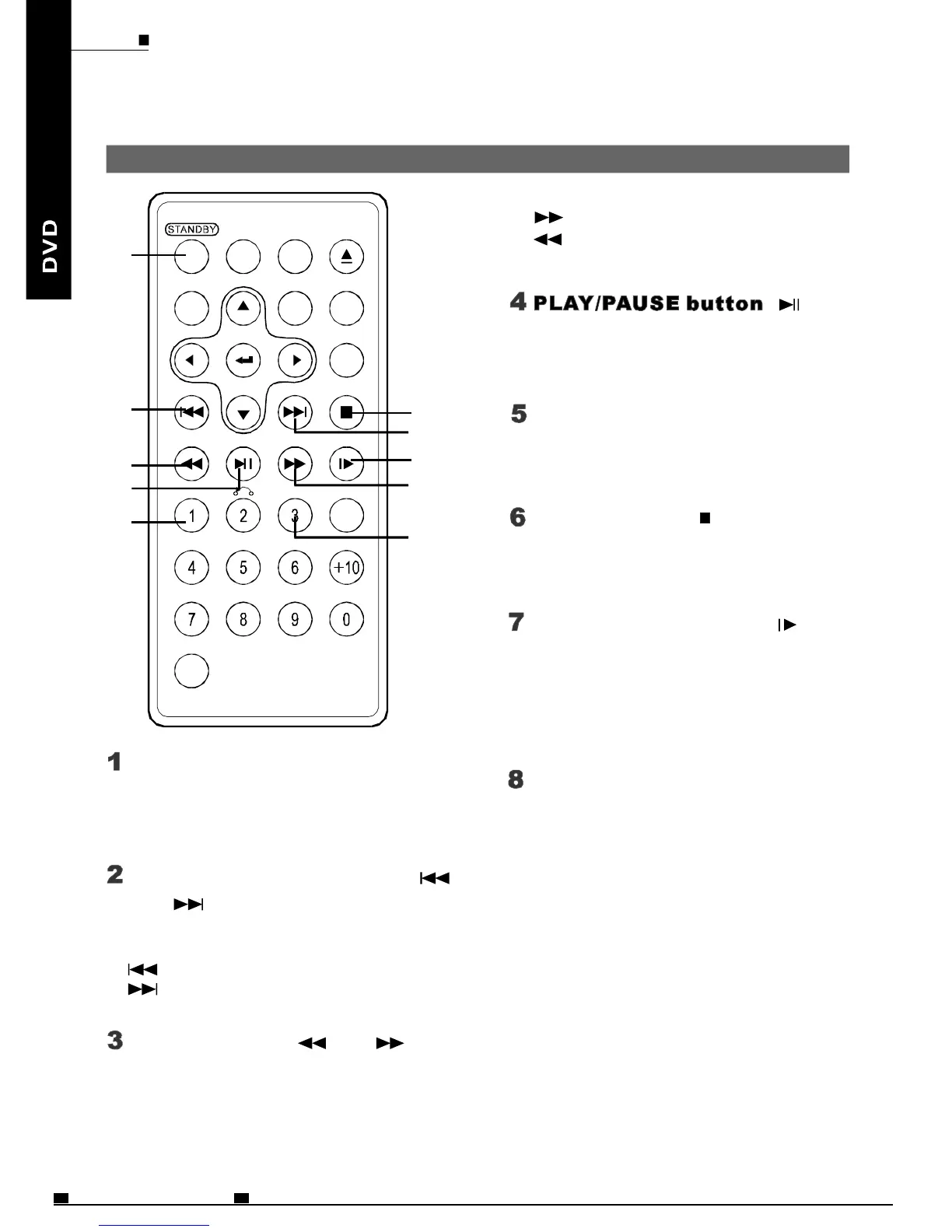
Remotecontrolunit(Frequentlyusedbuttons)
STANDBYbutton
PREVIOUS/NEXTbutton
and
Scanbuttonsand
(
(
(
(
Pressthisbuttontoturnonoroff
thepower.
Usethesebuttonstosearchforthe
beginningsoftracksorchapters.
:Backwarddirection
:Forwarddirection
Usethisbuttontoplayorpause
playback.
:Forwarddirection
:Backwarddirection
Pressthisbuttontodisplaythe
DVD'smenuscreen.
MENUbutton
STOPbutton
(
(
Pressthisbuttontostopplayback.
STEP/SLOWbuttons()
Pressthisbuttontoslowplaybackat
1/2,1/4,1/6,1/7speed.Ifatpause
status,pressthisbuttontoplay
step-by-step.
Pressthisbuttontodisplay
theDVD'stitle.
TITLEbutton
OPEN
FWD
AUDIOSUBTITLE
OSDANGELSETUP
SEARCH
STOPNEXT
STEP/SLOWPLAY/PAUSEREV
SHIFT
C
MENU TITLE
ZOOM
PREV
CLEAR
A-BREPEAT
1
2
3
4
5
6
2
7
3
8
(
(
Usethesebuttonstobackwardor
forwardtheplayingspeed.
ENG19
MOBILEENTERTAINMENT
PDF 文件使用 "pdfFactory Pro" 试用版本创建 www.fineprint.cn



 To Next Page