ADVANCEDFUNCTIONS
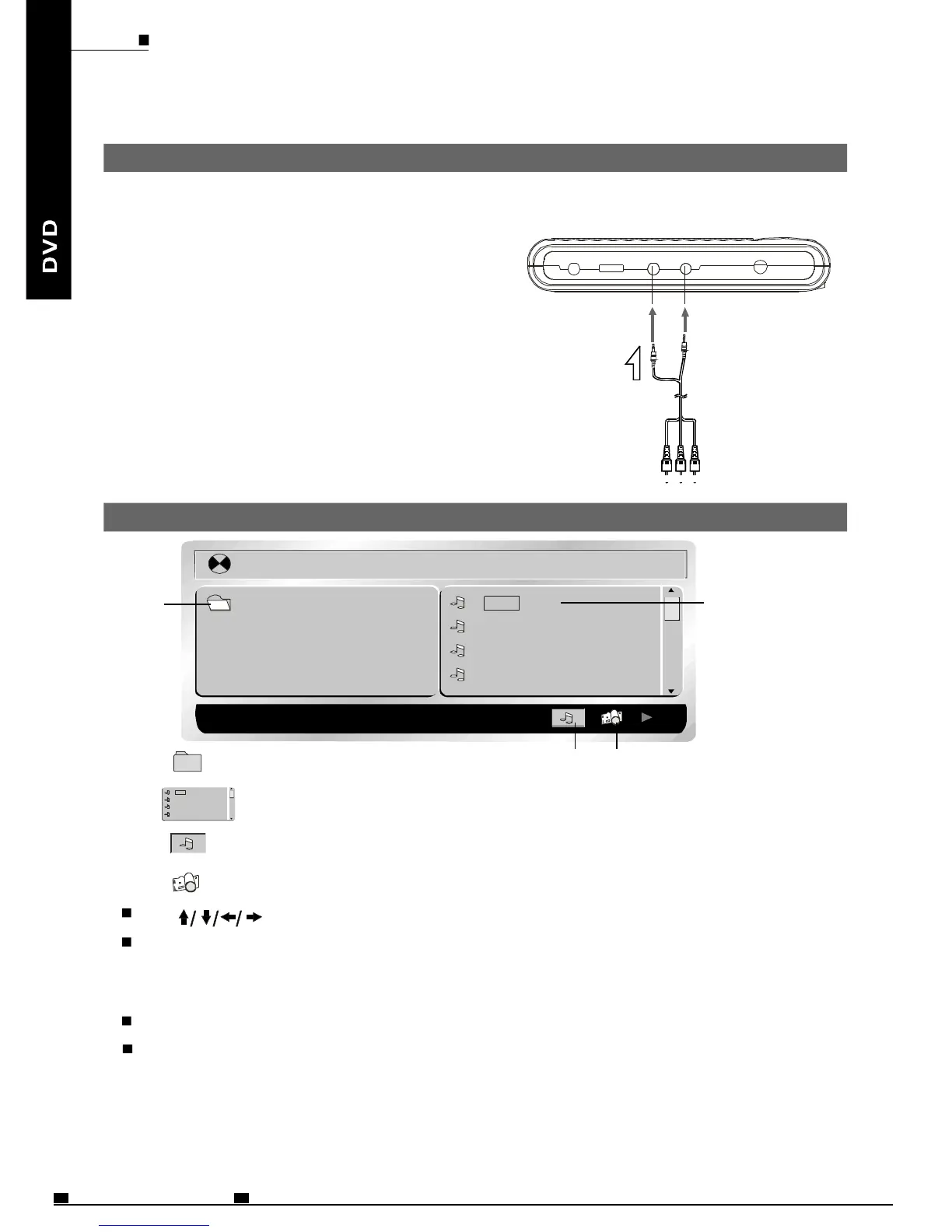
ChangingfromAVOUTtoAVIN
YoucanchangetheplayerfromAVOUT(OutputAVsignaltoTV,etc)toAVIN(InputAV
signalfromotherdevice)anduseitasaTFTMonitor.ThedefaultsettingisAVOUT.
AVcable(Included)
AVsignalsinputted
fromotherdevice
1
2
Note:
PressMODEbuttononmainunitandswitch
LCDmodetoAVIN/OUT.
Press+orbuttontoswitchbetweenAVOUT
andAVIN.
AvoidtoinputAVsignalsfromAVJACKwhen
theplayerissettoAVOUT,orinterference
willbecausedtoaffectcurrentplaybackand
lowerdownplayingquality.
-
[123]008.MP3
01.123 001.008
002.01
003.05
004.09
1 2
3 4
Usetomovethecursortoafolder,afile,MP3ICONorJPEGICON.
InordertoplayMp3files,movethecursortoMP3ICONandpressENTERbutton.
InordertoplayJPEGfiles,movethecursortoJPEGICONandpressENTER
button.
ChoosethedesiredfileandpressENTERtoplay.
PressA-BbuttontohaveA-BREPEATfunction;pressREPEATbutton
toswitchrepeatmode(REP1,REPDIR,REPALL,REPOFF).
REP1meansrepeatingthetrack;REPDIRmeansrepeatingthefolder;REPALL
meansrepeatingthewholedisc.
1.Folder
2.Files
3.MP3ICON
4.JPEGICON
001.008
002.01
003.05
004.09
PlayingaMP3formatdiscandJPEGCD
ENG37
MOBILEENTERTAINMENT
PDF 文件使用 "pdfFactory Pro" 试用版本创建 www.fineprint.cn



 To Next Page