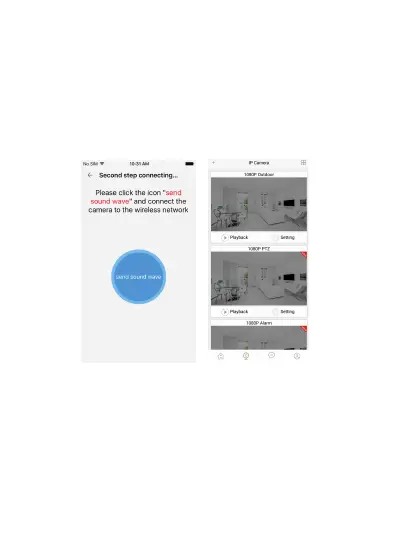
d. You will hear a scrambled sound being played from your
phone. Keep your phone still and wait for the duration of the
transmission, before you move your phone away. Afterwards,
the voice prompt will indicate that the binding was successful
and the app will redirect to the camera view interface
automatically.
e. If you do not hear the voice prompt say, ‘binding
successful’, you can try again by clicking the ‘Send sound
wave’.
4. App functions
4.1 Live video
After syncing successfully, click the IP Camera interface to view
live video. Smooth, SD and HD video definition are available.
Jawa
4.2 Video Recording
4.2.1 Users can record video on live video interface , by pressing
the red video recording icon on the left, refer to photo below.
The recorded video will be stored in the album on the
homepage of app.
-6-


 To Next Page