4.2. Inside views
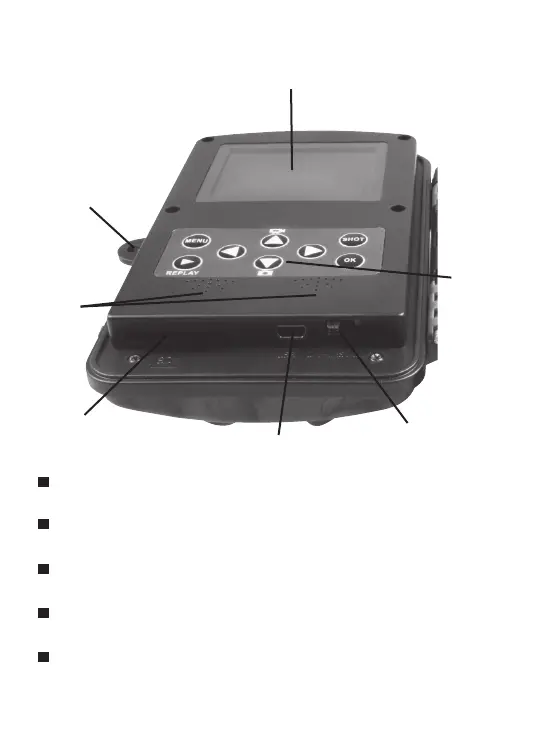
The monitor is only switched on in the Test mode for changing menu settings or viewing existing
photos and videos.
Using the operating buttons, menu settings can be changed in the test mode or existing photos and
videos can be played back.
An SD or SDHC memory card must have been inserted into the memory card slot in order to save
photos and videos.
Using the mini USB connection (USB 2.0), the camera can be connected to a computer, in order
to download photos and videos.
Using the mode switch the three operating modes OFF, TEST and ON can be selected.
Monitor
Operating
buttons
Speaker
Locking hole
for lock
Memory card
compartment
Mini USB connection
Mode switch (OFF/
TEST/ON)
8


 To Next Page