DOC-1017 Rev. A1 Page | 7
ESD Warning
Observe precautions for handling electrostatic sensitive devices.
SOM Heatsink and Fan
If the SOM was purchased with the HDK, it will come with a pre-installed heatsink and fan. If purchased
separately, the heatsink and fan need to be installed by following the steps below.
CAUTION: Do not operate the SOM without adequate thermal dissipation as damage can occur.
1. Remove any labels from the gold colored shield of the SOM and ensure the surface is clean.
2. Remove the blue plastic from the bottom of the heatsink to expose the adhesive thermal tape.
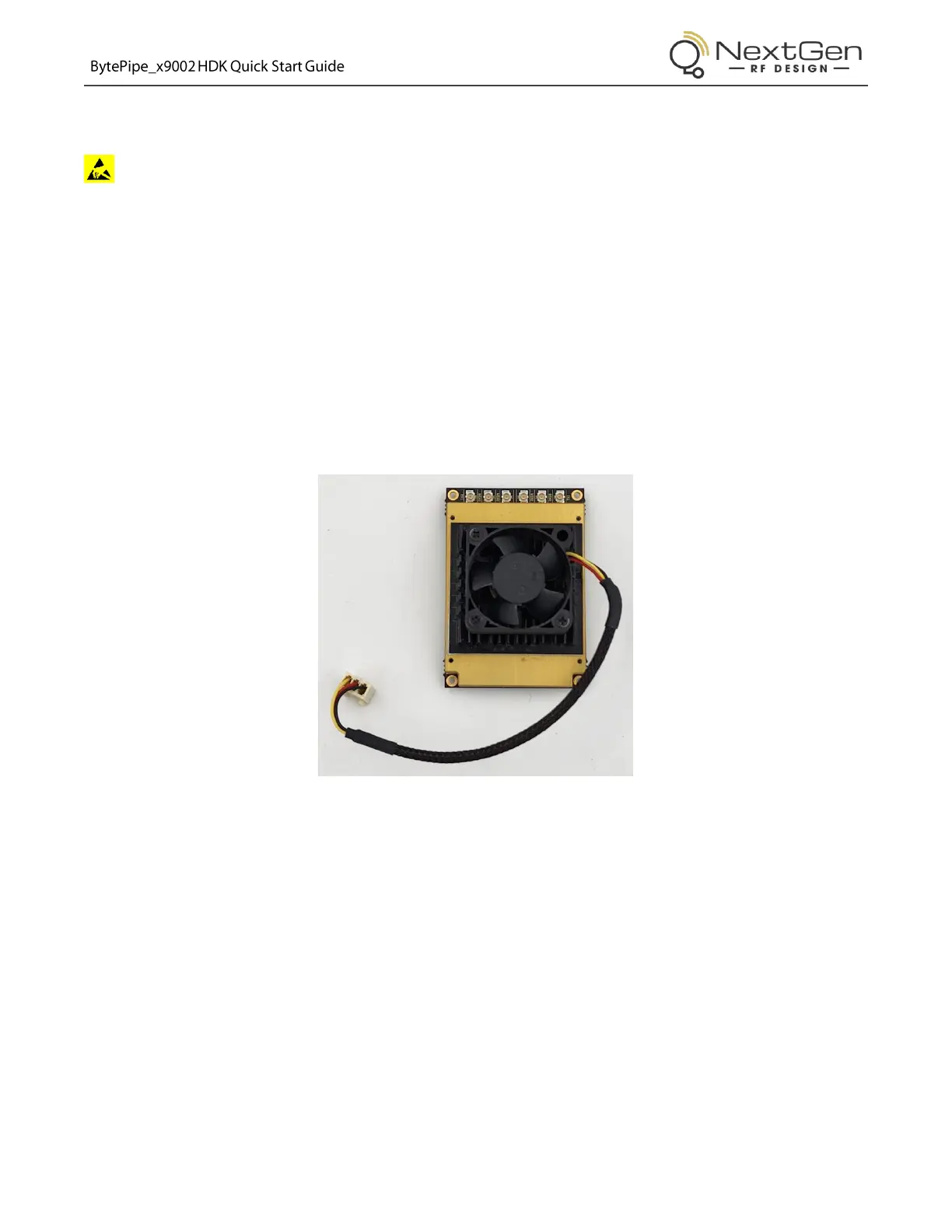
3. Align the heatsink on the SOM shield such that it is centered in both directions and the fan wire faces
the direction shown below.
Figure 5: SOM Heatsink and Fan Installation
4. Press the heatsink and shield together firmly for a few seconds to ensure proper adhesion.



 To Next Page