DOC-1017 Rev. A1 Page | 8
SOM Installation
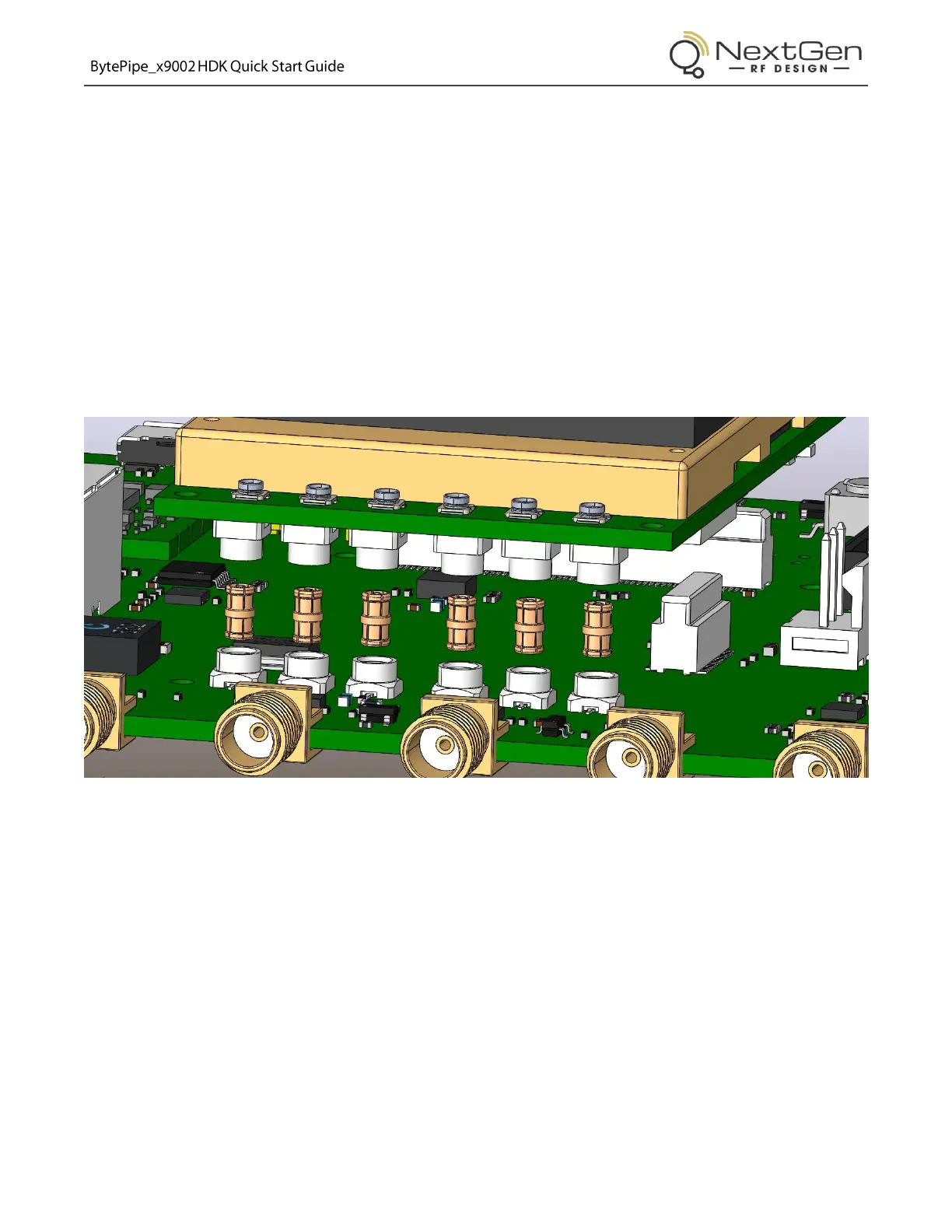
The HDK/SOM interconnect has two board-to-board connectors and six RF connectors. Care must be taken to
ensure they are properly aligned before applying the force necessary to fully engage the connections.
If using the U.FL connectors on the SOM, do not install the SMPM adapters – skip to step 3.
1. Inspect the SMPM adapters to ensure they are not damaged.
2. Install the SMPM adapters in each of the six SMPM connectors of the HDK by aligning them vertically
and pressing down.
Note: If tools are used to install the adapters, use extreme caution as the adapters can be easily
damaged.
Figure 6: SMPM RF Adapter Placement



 To Next Page