MASTER
TRACE
5.9
Chapter 5
Operation
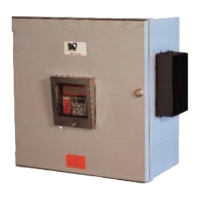
Figure 5.11 MR100 Group Interface Module, Cover Removed
5.3 Responding to Alarms
The [STATUS] key provides immediate access to the Sys-
tem Status Menu which displays the alarm status for all
connected Control Modules. If the Default Display is pro-
grammed to System Status, the System Status Menu will
automatically be displayed after a period of time equal to
the Display Timeout has expired from last key press.
If there are no alarms, this message is displayed:
SYSTEM OK
NO ALARMS
If there are one or more alarms, this message is displayed:
** 2 ALARMS**
PRESS MSSG DOWN
Pressing [MESSAGE ò] displays the alarm detail screens
for each alarm as shown:
LOW TEMPERATURE
ALARM
HEATER 2-1
NONAME
ACTUAL: 3°C
SETPOINT: 5°C
&
The first screen shows what the alarm is, the second shows
where the alarm is and the third screen shows why there is
an alarm. The Scan Time determines the rate at which these
screens are displayed.
If there no more alarms, this message is displayed:
NO MORE ALARMS
Refer to Appendix C: Summary of Alarms and Causes for
information on reasons for the alarms. After the cause of
each alarm has been corrected, any non-latching alarm will
clear. Latching alarms (All Trip and TraceCheck™ alarms)
must be reset to clear the alarm. To reset the alarm, first
display the alarm detail screens and then press [RESET].


 To Next Page