X.COM3 - MOTORCYCLE BLUETOOTH COMMUNICATION SYSTEM
19
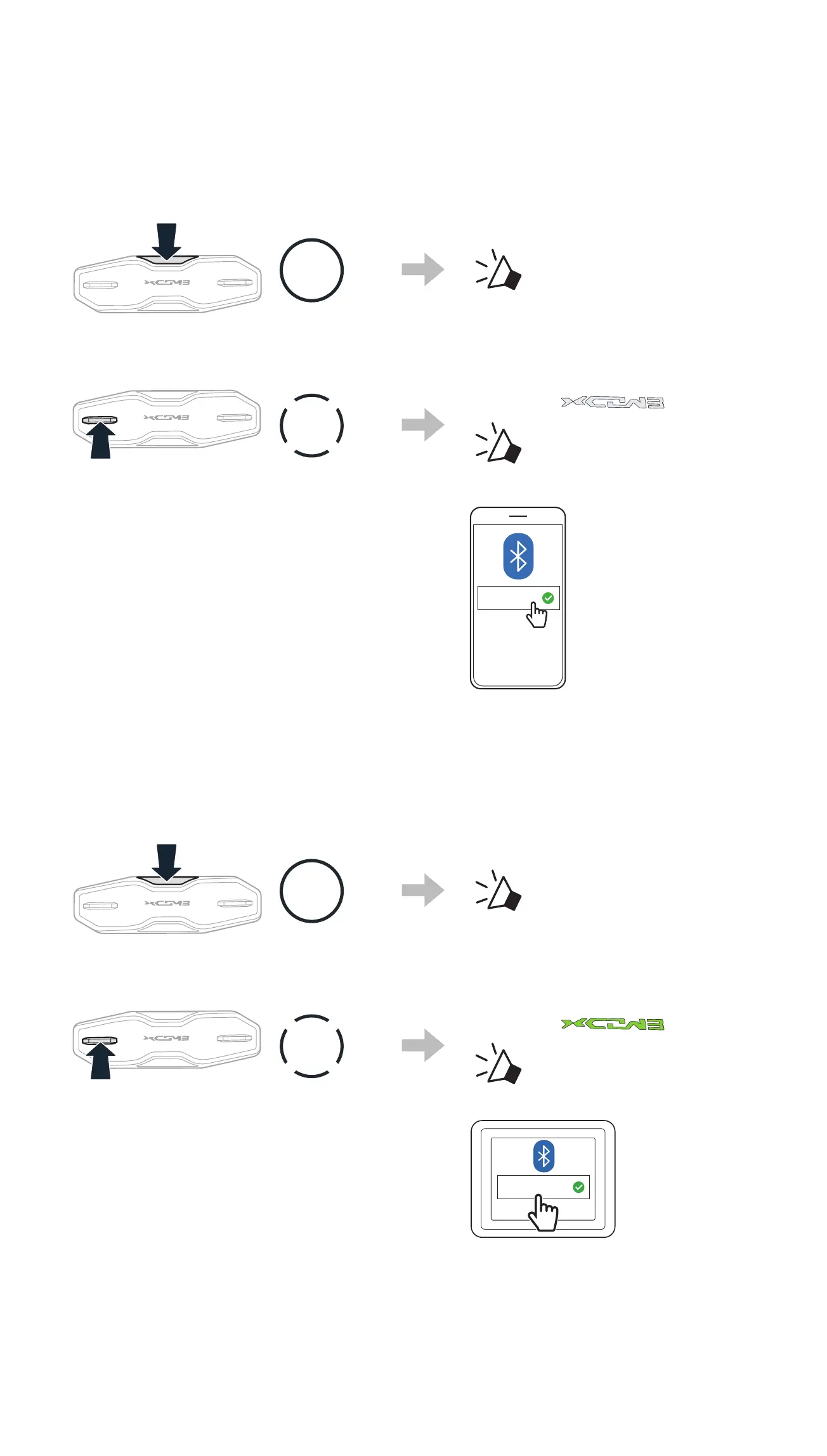
4.2 SECOND MOBILE PHONE PAIRING
1. Press and hold the Center Button for 10 seconds.
10s
HOLD
“Conguration menu”
2. Double tap the (+) Button.
2x
TAP
Blinking
“ Second mobile
phone pairing”
3. Select X-COM 3 in the list of
Bluetooth devices detected.
X-COM 3
4.3 GPS PAIRING
1. Press and hold the Center Button for 10 seconds.
10s
HOLD
“Conguration menu”
2. Triple tap the (+) Button.
3x
TAP
Blinking
“ GPS pairing”
3. Select X-COM 3 in the list of
Bluetooth devices detected.
X-COM 3



 To Next Page