X.COM3 - MOTORCYCLE BLUETOOTH COMMUNICATION SYSTEM
37
11
CONFIGURATION SETTING
11.1 HEADSET CONFIGURATION MENU
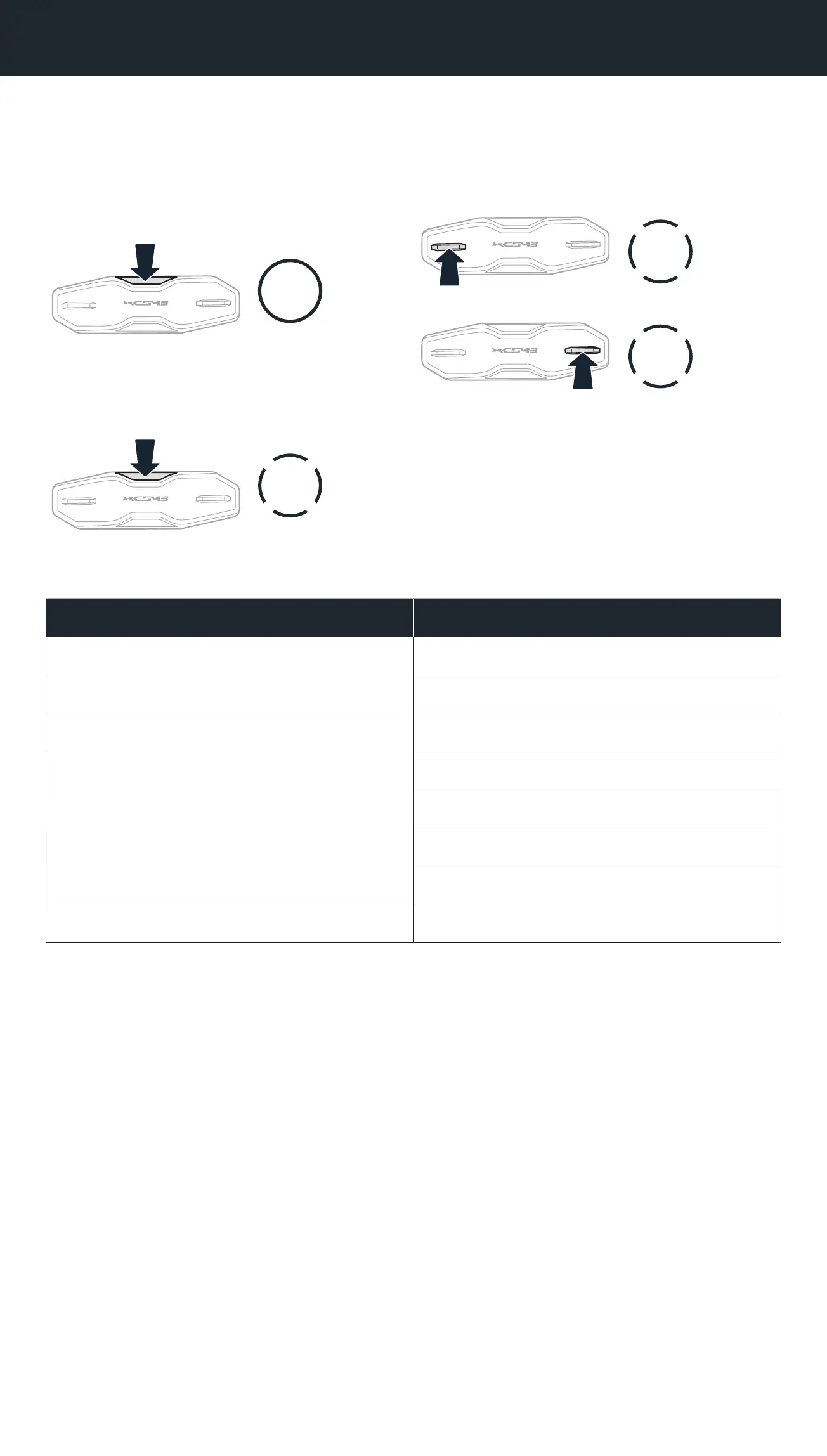
Accessing the Conguration
Menu
10s
HOLD
Navigating Between Menu Options
1x
TAP
or
1x
TAP
Execute Menu Options
1x
TAP
Headset Conguration Menu
Voice Conguration Menu Tap the Center Button
Phone Pairing None
Second Mobile Phone Pairing None
GPS Pairing None
Delete All Pairings Execute
Remote Control Pairing Execute
Universal Intercom Pairing Execute
Factory Reset Execute
Exit Execute
11.1.1 Delete All Pairings
You can delete all Bluetooth pairing information of the headset.
11.1.2 Remote Control Pairing
You can remotely control the headset using Sena Remote Control devices
(sold separately).
1. Turn on the headset and the Remote Control device.
2. Execute Remote Control Pairing.
3. Enter pairing mode in the Remote Control device. The headset will
automatically connect with the Remote Control device in pairing mode.



 To Next Page