WF1943B 4-47
4.5 Selecting waveforms of synchronous signals (SYNC OUT)
This section describes the switching of SYNC OUT waveforms.
Procedure
① Press the
SYSTEM
key, then use the
and
keys to produce the following display
(The lower SYNC OUT flashes).
STATE :
PHASE
SYSTEM:
3
SYNCOUT POWER-ON REMOTE
② Press the
ENTER
key, then use the
and
keys to set the SYNC OUT waveform.
③ After setting, press the
EXIT
key to release the SYNC OUT waveform setting mode.
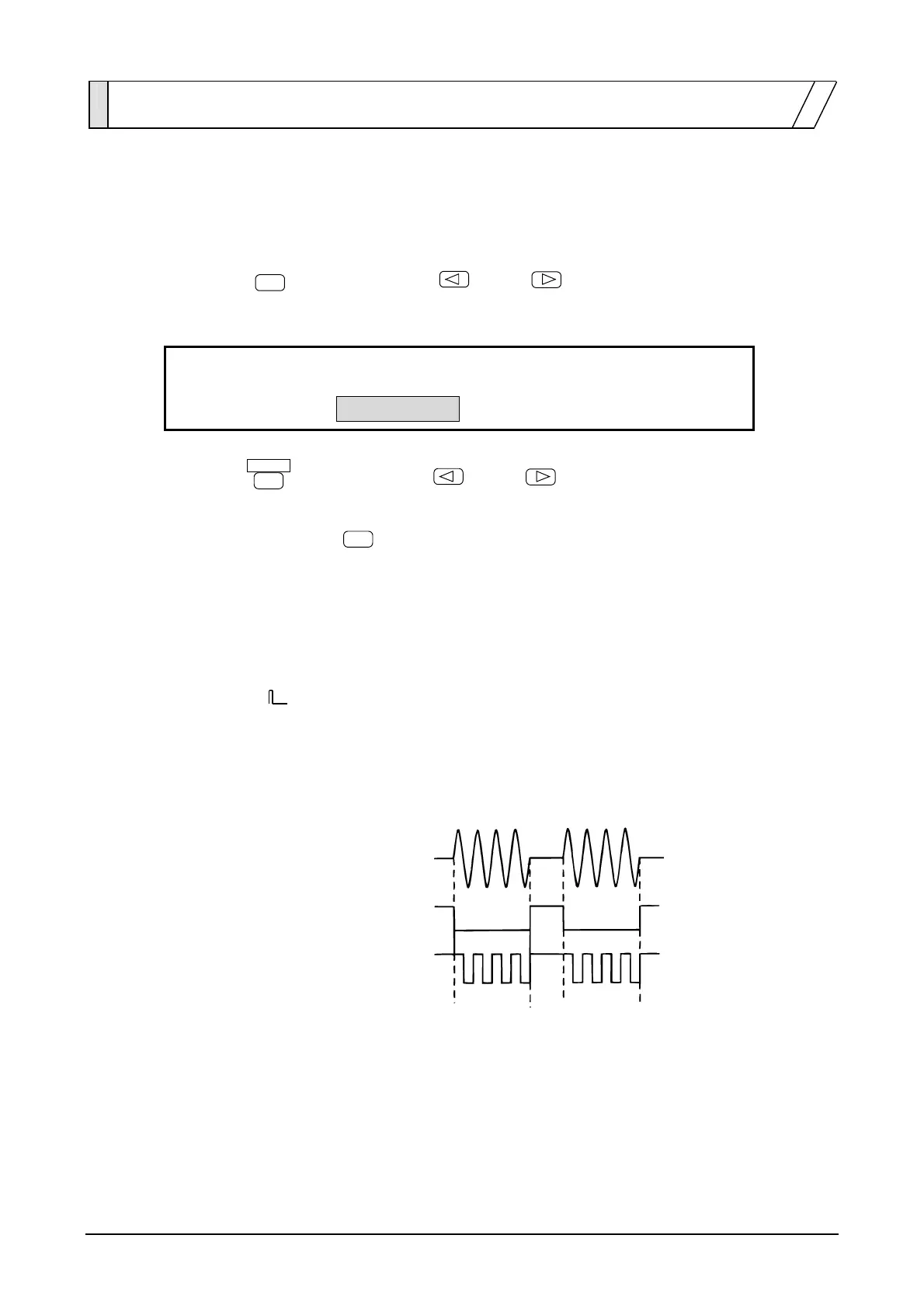
When the oscillation mode is BURST
• STATE: Low level during oscillation. High level while stopped.
• PHASE: For
squarewaves (variable duty), the same waveform as that for FUNCTION OUT.
For other cases, high level while between 0 and 180 degrees of the waveform in the
oscillation period, and low level while between 180 and 360 degrees.
Oscillating
Stopped
FUNCTION OUT
SYNC OUT
SYNC OUT: STATE
SYNC OUT
SYNC OUT: PHASE



 To Next Page