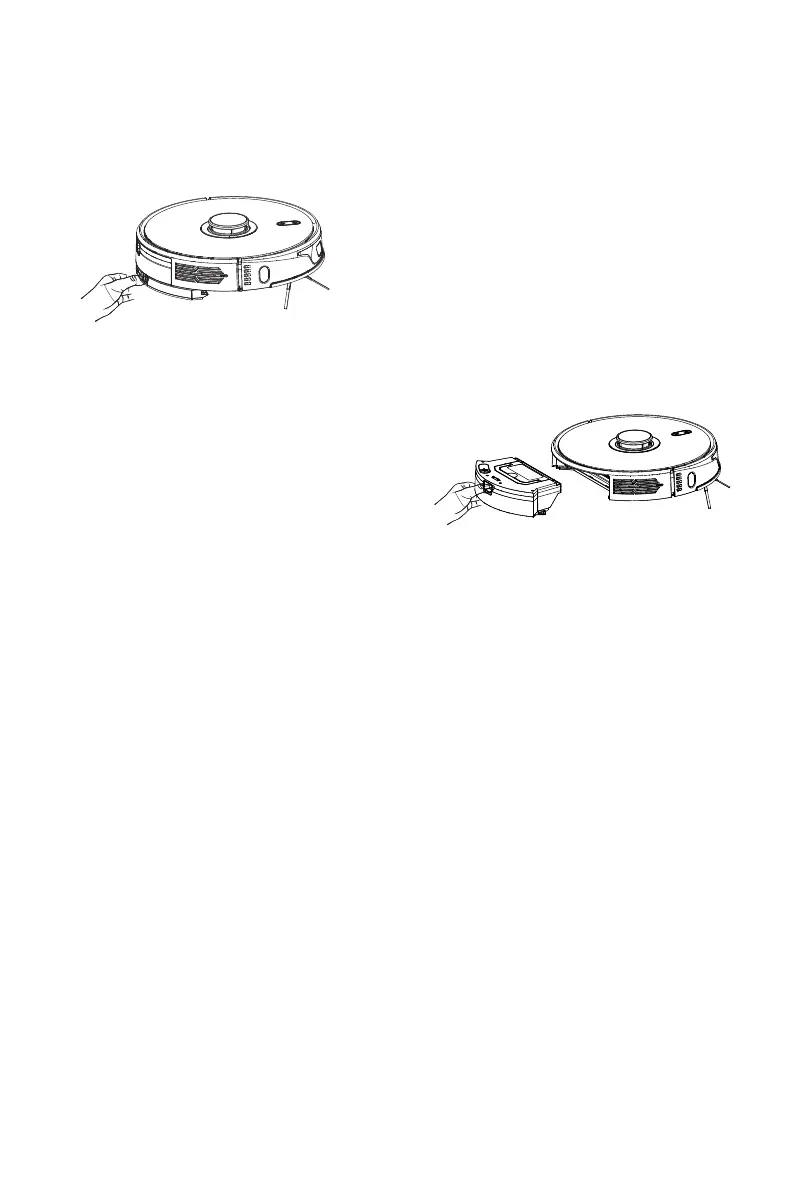
When the host completes the work, press and hold
the buttons on both sides in the middle of the mop
bracket. Remove the mop bracket backward, and
clean the cloth (Do not move or flip the host during
work).
1) When the water tank is not in use, please do not use it.
2) When the water tank is being filled or left unused, please remove it for safety reasons.
3) Please do not mop the carpet. The robot can be prevented from entering the carpet area
by setting restricted area through APP.
4) The mopping bracket should be installed/used after the floor has been swept three times
for a better mopping effect.
5) If you need to add water or clean the wiping cloth while the robot is working, please pause
it first, then follow the preceding instructions to prevent losing the map and failing to
position it.
6) This robot's mopping function is designed for wiping and is suitable for deep cleaning. It is
unable to adequately remove stubborn stains and replace the workforce.
After removing the mopping bracket, press
the button in the middle of the water
tank and pull out the 2-in-1 water tank
horizontally along the rear part of the
host machine. Remove the dust box and
clean up the garbage, wash and clean its
HEPA filters. Pour out the residual water
in the water tank. (Do not turn over the
host machine during removal)
4. Remove the water tank:
5. Instructions for using water tank:
14
Mopping Components


 To Next Page