7
Spot Cleaning
Note:
Do not move the robot casually and frequently while it is cleaning. After moving, please put
the robot near the original position and then re-start it, and the robot will try to reposition
itself. If positioning is successful, the robot will follow the planned path and continue to work.
If the positioning failed, the robot will abort all previous mission, and then scan the room map
and start a new cleaning. When it completes the cleaning it may not find the charging station.
Automatic Total Cleaning
You can use Mobile APP or the button on the robot to enter this mode.
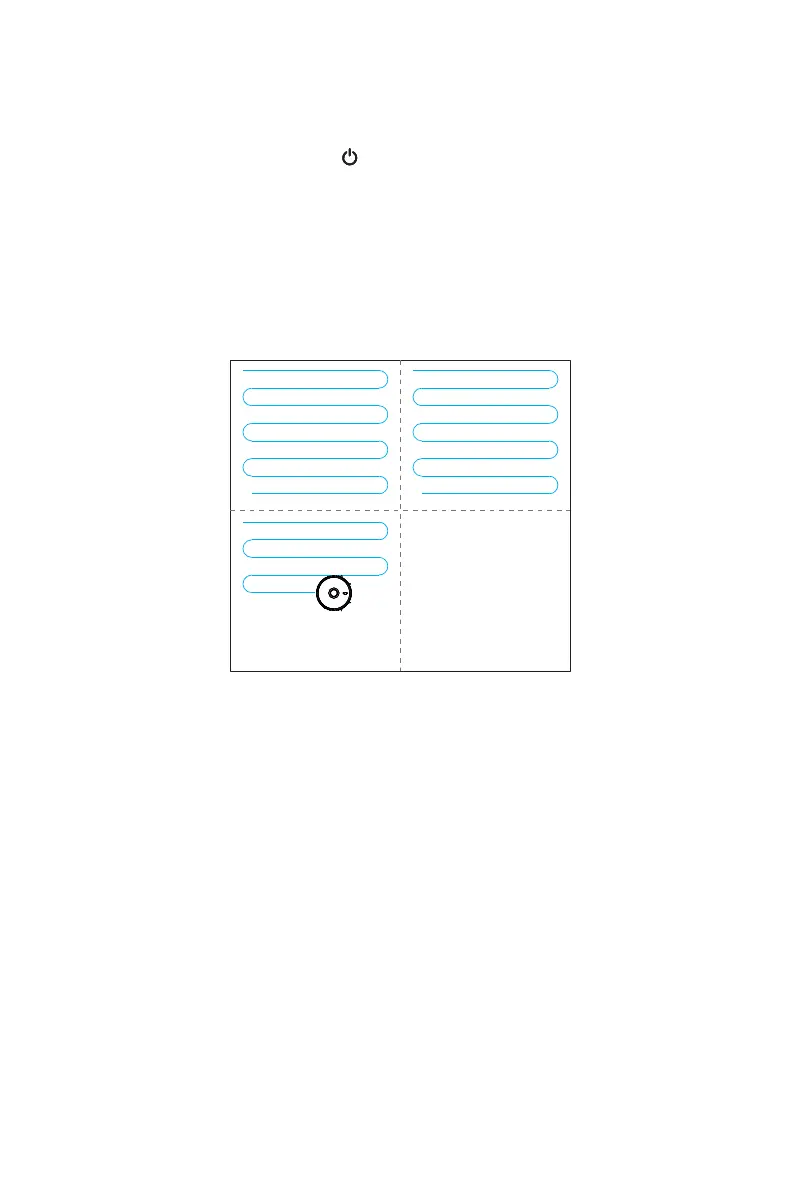
The machine will automatically scan the room and generate a map, and divide the map
into several zones. In each zone, robot will start edge cleaning firstly and then would be
planning to clean the whole area in a zig-zag path. The machine will complete the cleaning
in each partition one by one, orderly and efficiently, full coverage and without omission.
After completing the whole cleaning, the machine will automatically return to the charging
station.
You can use the mobile APP to enter this mode.
The robot will take the point of its placement as the center, start an auto cleaning in a
square area of 1.5m*1.5m. It will clean along the edge firstly, after the edge path is closed
the robot will start a zig-zag cleaning in this area for two times with the 3rd gear suction,
and finally complete a # shape path. After completion of the cleaning, the machine will
automatically return to the charging station.
Completed Area Completed Area
Area being cleaned
Area to be cleaned
Cleaning Mode



 To Next Page