Need help?
Do you have a question about the Niceboy VEGA X and is the answer not in the manual?
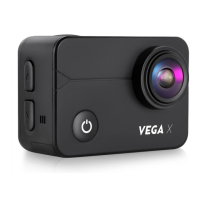
Details camera lens, Wi-Fi diode, power button, and quick select menu functions.
Covers trigger/OK button, navigation, speaker, diodes, ports, and accessory mounts.
Learn to swipe for mode selection, access options, quick menus, and settings.
Manage Wi-Fi connectivity, lock the display, and power off the camera.
View recorded content, take photos, and delete files from the camera.
Navigate to video, photo, and general camera settings menus.
Explains definition settings, X-STEADY stabilization, and codec options.
Details slow motion settings and capturing photos from video.
Covers definition, countdown, timer, burst mode, and scene selection for photos.
Details exposure compensation, ISO, white balance, and colour settings.
Configures system sounds, fisheye reduction, and field of view (FOV).
Manages underwater colour balance, dynamic range, and automatic power off.
Sets display screensaver, language, date format, and time stamp.
Configures frequency, erases data, and resets to factory settings.
Guidelines for selecting, formatting, and inserting a micro SD card.
Instructions for inserting/removing the battery and charging the camera.
Steps to connect the camera to a mobile phone using the RoadCam app.
How to connect the camera to a PC for file transfer or as a webcam.
Using the remote control for playback and taking photos.
Details the remote control's range and notice about watertightness.
Lists all items included in the camera package.
Provides detailed technical specs like chip, sensor, lens, and video quality.
Details photo definition, display, battery life, and camera dimensions.
 General
| Resolution | 4K |
|---|---|
| Display | 2-inch LCD |
| Battery | 1050mAh |
| Wi-Fi | Yes |
| Memory Card Support | microSD up to 64GB |
| Connectivity | micro USB, HDMI |
| Waterproof | Yes |
| Battery Life | 90 minutes |

 To Next Page