24
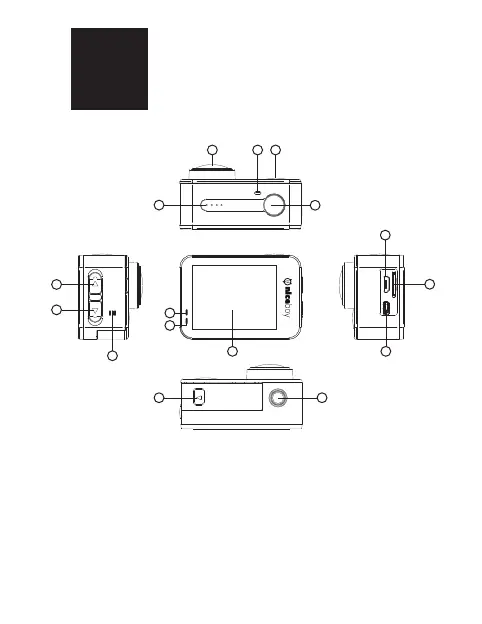
DESCRIPTION AND FUNCTIONS
1. Camera lens
2. Wi-Fi diode – ashes red when Wi-Fi is powered on, shines
red when connected to a mobile telephone.
3. Power button/Quick select menu – press and hold to
power on/o the camera. Press again once the camera has
powered on to bring up the quick select menu. Press again
to move through the menu between the camera’s settings as
well as the video/photography settings.
EN
21 3
11
4
15
13
14
16
5
6
8
9
7
1210



 To Next Page