EasyManua.ls Logo

Nidek Medical AFC-330 - User Manual

Nidek Medical AFC-330
186 pages
Print Icon
To Next Page IconTo Next Page
Loading...
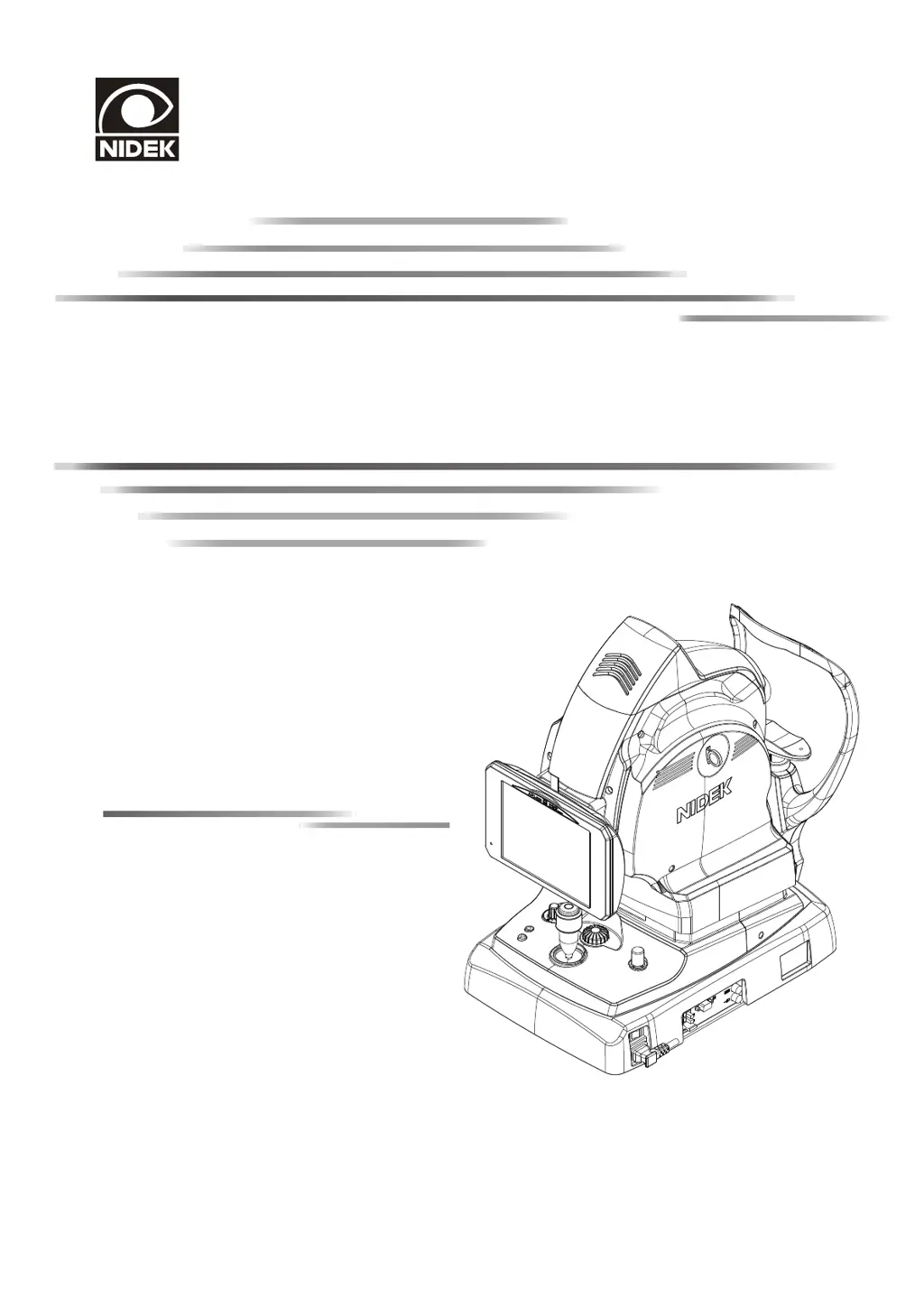
NON-MYDRIATIC AUTO FUNDUS CAMERA
AFC-330
AFC-330
OPERATOR’S MANUAL
OPERATOR’S MANUAL

Table of Contents

Questions and Answers

  • K
    Kristin WhiteheadAug 15, 2025
    What to do if auto tracking cannot be executed on Nidek Medical Equipment?
    • C
      Christian BrooksAug 16, 2025
      If auto tracking on your Nidek Medical Equipment isn't working, here's what you can do: * Ensure auto tracking is enabled (ON) and set to 'Auto' using the Auto/Manual toggle button. * If the patient's eyelid is covering their eye, ask them to open their eyes wider. * Reduce extraneous light exposure to the cornea by dimming the room lights or relocating the device. * If the issue persists, perform manual alignment.
  • A
    Aaron MartinezAug 19, 2025
    What to do if auto shot cannot be executed on Nidek Medical Equipment?
    • A
      Amy CooperAug 19, 2025
      If you're unable to capture images with the release button on your Nidek Medical Equipment, consider the following: * If the auto anti-misshooting button is enabled, image capture will not work if the patient's eyelid is detected or their pupil size is insufficient. Instruct the patient to open their eyes wider. * Alternatively, disable the auto anti-misshooting button or switch to Manual mode using the Auto/Manual toggle button, and then try capturing the image again.
  • J
    Jeffrey GonzalezAug 22, 2025
    What to do if captured images are dark on Nidek Medical Equipment?
    • J
      Jennifer LeeAug 22, 2025
      If the images captured by your Nidek Medical Equipment are too dark, increase the flash intensity using the flash intensity up/down buttons and try capturing the image again.
  • M
    Michael TaylorAug 25, 2025
    Why is the LCD touch-screen suddenly blacking out on my Nidek Medical Equipment?
    • S
      sandersjacquelineAug 25, 2025
      If the LCD touch-screen on your Nidek Medical Equipment suddenly goes black, and the pilot lamp is blinking, the device is likely in Sleep mode. To wake it up, simply operate any control on the device.
  • A
    Angela HawkinsAug 27, 2025
    How to fix low quality captured images with intense white-light flare on Nidek Medical Equipment?
    • B
      Brittany HarrisAug 27, 2025
      If you're experiencing low image quality with an intense white-light flare in the center when using your Nidek Medical Equipment, check the cleanliness of the objective lens and clean it if necessary.
  • B
    baxterlarryAug 30, 2025
    What to do if auto focus does not function on Nidek Medical Equipment?
    • R
      Ronald DanielsAug 30, 2025
      The auto focus on your Nidek Medical Equipment may not function properly if the patient has certain eye conditions like cataract or severe myopia or hyperopia outside the range between ?12 D and +15 D. In such cases, adjust the focus manually using the focus knob.
  • L
    lauren97Sep 3, 2025
    How to fix main unit if it cannot be moved horizontally on Nidek Medical Equipment?
    • J
      Jocelyn WoodSep 3, 2025
      If the main unit of your Nidek Medical Equipment cannot be moved horizontally, it may be locked by the main unit locking knob. Turn the main unit locking knob to release the lock.
  • T
    Troy MedinaSep 6, 2025
    What to do if the internal fixation lamp is blurred on Nidek Medical Equipment?
    • A
      Angelica LawrenceSep 6, 2025
      If the internal fixation lamp appears blurred on your Nidek Medical Equipment, check again without the compensation lens.
  • J
    james81Sep 9, 2025
    What to do if the external fixation lamp does not illuminate on Nidek Medical Equipment?
    • R
      Renee HarperSep 9, 2025
      If the external fixation lamp on your Nidek Medical Equipment is not illuminating, verify that the external fixation lamp unit is securely connected to the external fixation lamp connector and ensure that the external fixation lamp is enabled.
  • L
    Larry DuncanSep 12, 2025
    How to troubleshoot Nidek Medical Equipment if turning on the power does not illuminate the pilot lamp?
    • D
      Deborah GardnerSep 12, 2025
      If turning on the power to your Nidek Medical Equipment does not illuminate the pilot lamp or turn on the LCD touch-screen, securely plug the power cord again.

Summary

Safety and Precautions

Understanding Safety Signals

Defines WARNING and CAUTION signals for safety alerting.

Usage Precautions

General guidelines and conditions for safe device operation.

Patient Environment Safety

Defines patient environment and recommends devices complying with IEC60601-1.

After Use Procedures

Guidelines for device shutdown, cleaning, and storage after use.

Device Setup and Configuration

Device Outline and Features

Overview of the AFC-330 camera and its key features.

Device Configuration Details

Details the physical components and controls of the AFC-330 device.

Screen Configuration Overview

Describes the user interface elements of the device screens.

Standard and Optional Accessories

Lists accessories included with the device and optional items.

Operating Procedures

Image Capture Procedures

Step-by-step guides for capturing images in various modes.

Photography Modes Explained

Details Stereo, Panorama, Anterior eye, Small pupil, and Low-light modes.

Patient Data Management

Covers patient registration, editing, searching, and CSV import.

Photography Settings Menu

Allows adjustment of fixation lamps, camera settings, and focus bar.

Control Menu Options

Explains detailed device settings via menu navigation.

Peripheral Device Connection

USB Device Connection

Details connection, disconnection, and use of USB flash drives and printers.

PC Network Connection (LAN)

Details network connection via LAN, including safety precautions.

Maintenance and Troubleshooting

Troubleshooting Guide

Provides solutions for common device issues before contacting service.

Error Messages and Remedies

Lists error messages with their causes and remedies.

Cleaning and Maintenance Procedures

Guides for cleaning the objective lens, exterior, and attaching chinrest paper.

Consumables and Parts List

Lists consumable items and parts requiring service personnel replacement.

Device Specifications

Classifications

Classifies the device regarding electrical shock protection, EMC, water ingress, etc.

Technical Specifications

Details the technical specifications of the AFC-330 fundus camera.

Environmental and Power Specifications

Covers environmental conditions and power requirements for the device.

EMC Compliance

Electromagnetic Compatibility Guidelines

States compliance with IEC 60601-1-2:2007 for electromagnetic compatibility.

Glossary

Key Term Definitions

Provides definitions for important terms used in the manual.

Nidek Medical AFC-330 Specifications

General IconGeneral
AlignmentAutomatic
Power SupplyAC 100-240 V, 50/60 Hz
Frequency50/60 Hz
Angle of Coverage45 degrees
Focusing Range-12D to +15D
Measurement Range (Refraction)-12D to +15D
Measurement Range (Keratometry)5.00 mm to 10.00 mm
Measurement Accuracy (Refraction)±0.25D
Measurement Accuracy (Keratometry)±0.05 mm
DisplayLCD
Image Resolution12.3 mega pixels

Related product manuals