05-201
55
The function is ALWAYS active during standard operation. This means that this function
is automatically activated AFTER programming the PC-Logic. On the PC-Logic display, the
letter ‘M’ appears in the upper left corner. If this is not the case, this function must be
switched ‘ON’ manually, otherwise, the PC-Logic will not function.
1. Briey press
and select the menu item.
2. Briey press
in order to make the selection.
3. Briey press
, the memory is switched on, return to the main
screen.
6. CONFIGURATION VIA PC
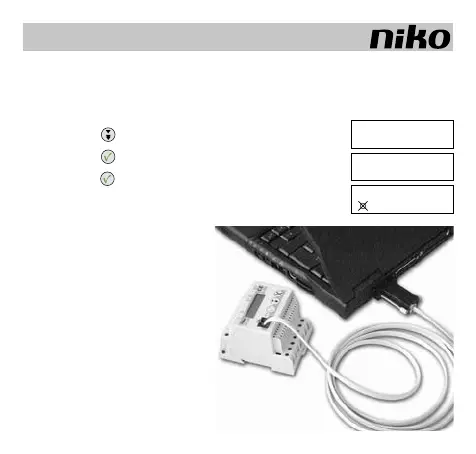
The connection between the serial (COM)
port of the PC and the PC-Link is made
by means of the supplied DB9 connector
(NOT the DB25) and cable equipped with
a RJ12 connector.Conguration using the
PC software, please refer to the software
manual on the CD-ROM.
The PC logic can reduce the number
of module connections. If a Feedback
module is added, this reduction no lon-
ger applies.
GB
[ MEMORY ]
Set inputs
MEMORY
ON [ >]
M 1 2 3 4 5 6
_ _ _ _ _ _



 To Next Page