EasyManua.ls Logo

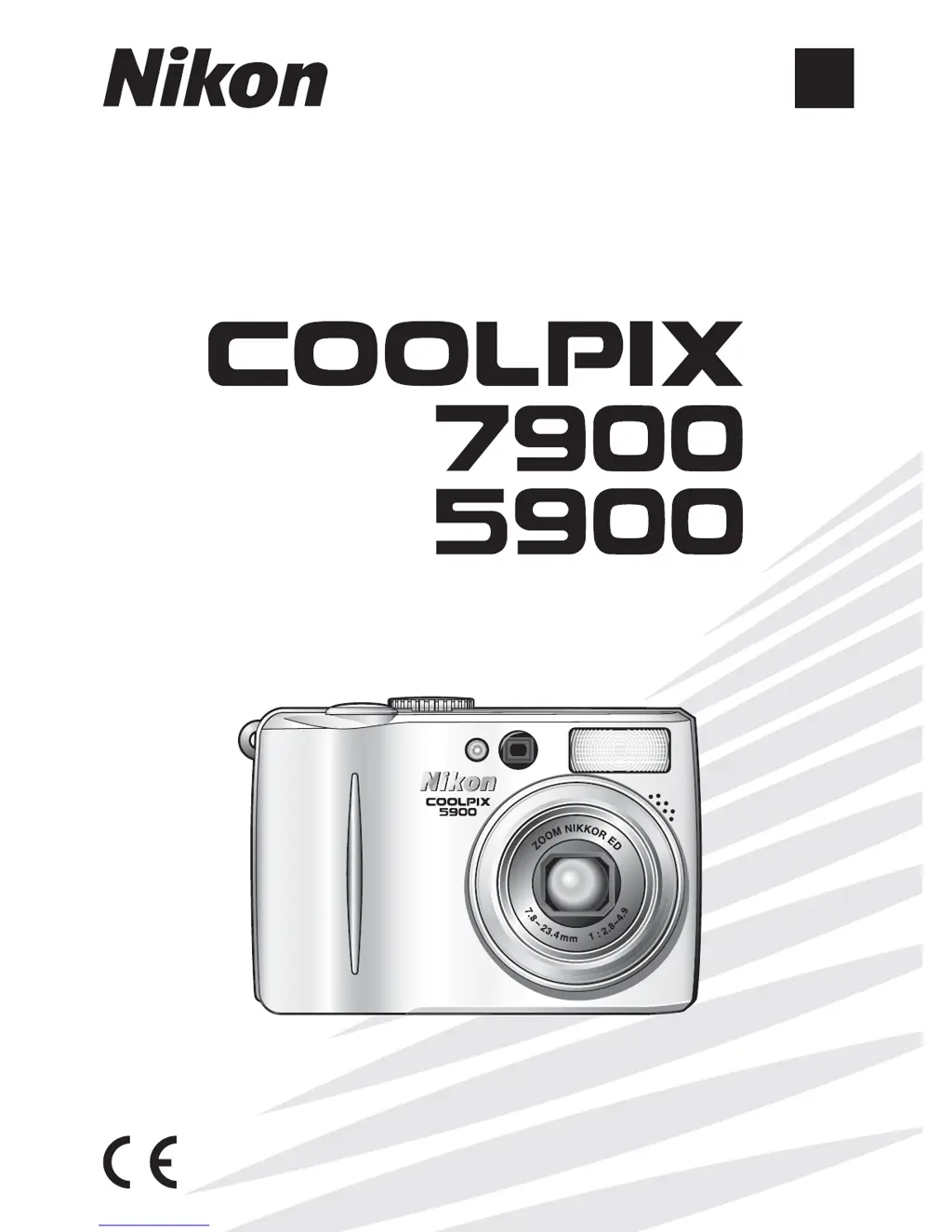
Nikon Coolpix 5900 - User Manual

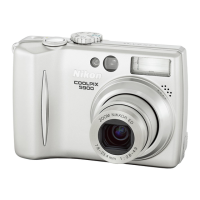
Nikon Coolpix 5900
165 pages
Print Icon
To Next Page IconTo Next Page
Loading...
En
The Nikon Guide to Digital Photography
with the
DIGITAL CAMERA

Table of Contents

Other manuals for Nikon Coolpix 5900

Questions and Answers

  • W
    William RomanAug 19, 2025
    Why is my Nikon Coolpix 5900 monitor blank?
    • D
      David KellyAug 19, 2025
      There are several reasons why the monitor on your Nikon Digital Camera might be blank. It could be that the camera or monitor is turned off, so ensure that both are powered on. Check the Photo info setting in the Monitor settings of the Set-up menu; it might be set to Monitor off, and you should change it. Also, verify that the battery is correctly inserted and the battery-chamber cover is properly latched, or that the optional AC adapter is correctly connected. The battery might be exhausted, so try replacing it. If the camera is in standby mode, press the Shutter-release Button halfway. Finally, disconnect any connected USB or audio/video cables.
  • M
    Melissa AndersonAug 21, 2025
    Why are my Nikon Coolpix 5900 Digital Camera pictures out of focus?
    • R
      Richard DavisAug 21, 2025
      If your Nikon Digital Camera pictures are out of focus, it might be because the subject was not in the focus area when you pressed the Shutter-release Button halfway. Make sure the subject is in the focus area. Also, if the green (AF) Lamp flashes, the camera is unable to focus, so wait for it to focus. If the lighting is poor, the AF-assist illuminator may not light, so select On in the AF assist option.
  • M
    Mr. Robert RobbinsAug 23, 2025
    What to do if my Nikon Coolpix 5900 Digital Camera doesn't take a picture when I press the shutter button?
    • K
      Kylie Washington PhDAug 25, 2025
      If your Nikon Digital Camera isn't taking pictures, first ensure that it is not in Playback mode; switch to Shooting mode. Check the battery; if it's exhausted, replace it. If the green (AF) lamp flickers, the camera may be unable to focus, so ensure it can focus. If the red lamp blinks, the flash is charging, so wait for it to fully charge. If you see a message on the monitor, it could indicate that the memory card is not formatted, write-protected, or out of memory; format the card, unlock it, or free up memory space as needed.
  • N
    Nicole ReedAug 26, 2025
    Why are my Nikon Digital Camera pictures too dark (underexposed)?
    • S
      samueljacksonAug 26, 2025
      If your Nikon Digital Camera pictures are too dark, the flash may be off, so turn it on. The flash window could also be blocked, so clear it. The subject might be outside the flash range, so move it closer. Alternatively, the exposure compensation might be too low, so increase it.
  • W
    William HowardAug 27, 2025
    How to fix blurred pictures on my Nikon Coolpix 5900 Digital Camera?
    • M
      melanie62Aug 27, 2025
      Blurred pictures on your Nikon Digital Camera are often caused by camera shake during the shot. To reduce camera shake, use a tripod or the self-timer.
  • C
    Christina LeachAug 29, 2025
    Why are my Nikon Coolpix 5900 pictures too bright (overexposed)?
    • S
      Sharon JensenAug 29, 2025
      If your Nikon Digital Camera pictures are too bright, it's likely that the exposure compensation is too high. Decrease the exposure compensation to resolve this.
  • A
    amandacoxAug 31, 2025
    What to do if the flash doesn't fire on my Nikon Digital Camera?
    • E
      espinozanicholasAug 31, 2025
      If the flash on your Nikon Digital Camera doesn't fire, the most common reason is that the flash is off. Turn on the flash to solve this issue.
  • M
    Matthew PetersonSep 2, 2025
    How do I fix a Nikon Coolpix 5900 Digital Camera monitor that is hard to read?
    • S
      stanleywandaSep 2, 2025
      If your Nikon Digital Camera monitor is hard to read, the ambient lighting might be too bright, so move to a darker location. You may also need to adjust the monitor brightness or clean the monitor if it's dirty.
  • S
    Seth RogersSep 4, 2025
    Why does my Nikon Coolpix 5900 Digital Camera turn off without warning?
    • R
      Rodney WilliamsSep 5, 2025
      Your Nikon Digital Camera might be turning off without warning because the battery is low, so try replacing it. Another reason could be that the battery is cold, in which case you should warm it up.
  • A
    Andrew RodriguezSep 6, 2025
    Why are the colors unnatural on my Nikon Digital Camera pictures?
    • C
      Casey HornSep 6, 2025
      If the colors in your Nikon Digital Camera pictures appear unnatural, it's likely that the white balance does not match the light source. Adjust the white balance setting to correct this.

Summary

Before You Begin

Parts of the Camera

Identification and description of the camera's physical components.

First Steps

Basic setup procedures including charging and inserting components.

Basic Photography

Step 1-Select Mode

Guide to selecting the automatic shooting mode for basic photography.

Step 3-Focus and Shoot

Instructions on how to focus the camera and take a picture.

The Set-up Menu

Format Memory;Card

Instructions for formatting the camera's internal memory or SD card.

Technical Notes

Troubleshooting

Common problems and their solutions for camera malfunctions.

Nikon Coolpix 5900 Specifications

General IconGeneral
Megapixel5.1 MP
Camera typeCompact camera
Sensor typeCCD
Image stabilizerNo
Image sensor size1/1.8 \
Maximum image resolution2592 x 1944 pixels
Digital zoom4 x
Optical zoom3 x
Focal length range7.8 - 23.4 mm
InterfaceUSB 2.0
Minimum RAM64 MB
Built-in flashYes
Aperture range (F-F)2.8 - 4.9
Camera shutter speed4 - 1/2000 s
Minimum system requirementsCD-ROM
Compatible operating systemsWindows 98/Me/2000/XP Mac 10.1.5 +
Focal length (35mm film equivalent)38 - 114 mm
FocusTTL
Focus adjustmentAuto
Auto focusing (AF) modescontinuous auto focus, single auto focus
Flash modesauto, Flash off, Red-eye reduction, Slow synchronization
Internal memory- MB
Compatible memory cardssd
Motion JPEG frame rate30 fps
Maximum video resolution640 x 480 pixels
Built-in microphone-
Display diagonal2 \
Display resolution (numeric)115000 pixels
USB version2.0
Scene modesBacklight, beach, Close-up (macro), dusk, Fireworks, Museum, Night landscape, Night portrait, Panorama, party (indoor), Portrait, Sunset, Underwater, Landscape (scenery)
Photo effectsBlack&White, Sepia
White balanceauto, Cloudy, daylight, Fluorescent, Incandescent, manual, Shade
Product colorSilver
Battery typeEN-EL5
Weight and Dimensions IconWeight and Dimensions
Depth36.5 mm
Width80 mm
Height60 mm
Weight150 g

Related product manuals