122
Reference–Playing Images Back
To
Basic Playback
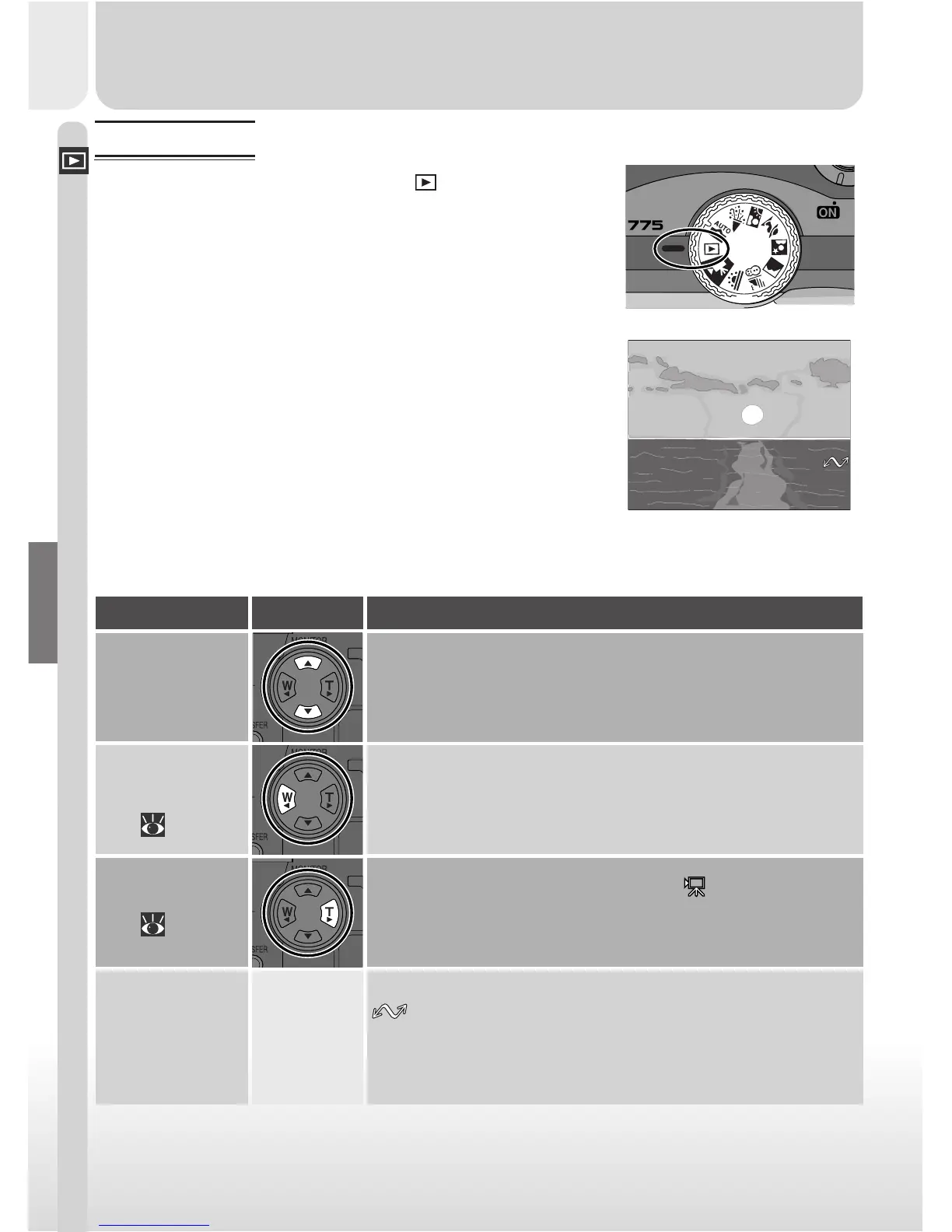
When the mode dial is turned to
, the camera en-
ters playback mode with the most recent picture dis-
played in the monitor. This section covers the opera-
tions that can be performed in playback mode using
the multi selector and buttons on the back of the cam-
era.
2001.07.25
DescriptionPress
Single-Image Playback
In single-image playback, you can perform the following operations:
Images marked for transfer to a computer are shown by a
icon. To select the current image for transfer, press
the TRANSFER button. If the current image is already se-
lected for transfer, pressing the TRANSFER button will re-
move transfer marking.
TRANSFER
Select current
photo for
transfer to
computer
If the current image is marked with a icon to show that
it is a movie, pressing the multi selector to the right starts
movie playback. Press again to pause playback.
Play movie
( 125)
Press the multi selector up to view images recorded be-
fore the current photo, down to view images recorded
after current photo. Hold down to scroll rapidly to de-
sired frame number.
View other
photos
Press the multi selector to the left to hide photo informa-
tion. Press the button again to view photo information.
Hide or display
photo info
( 124)


 To Next Page