37
Viewing Pictures on the Camera
Viewing Pictures on the Camera
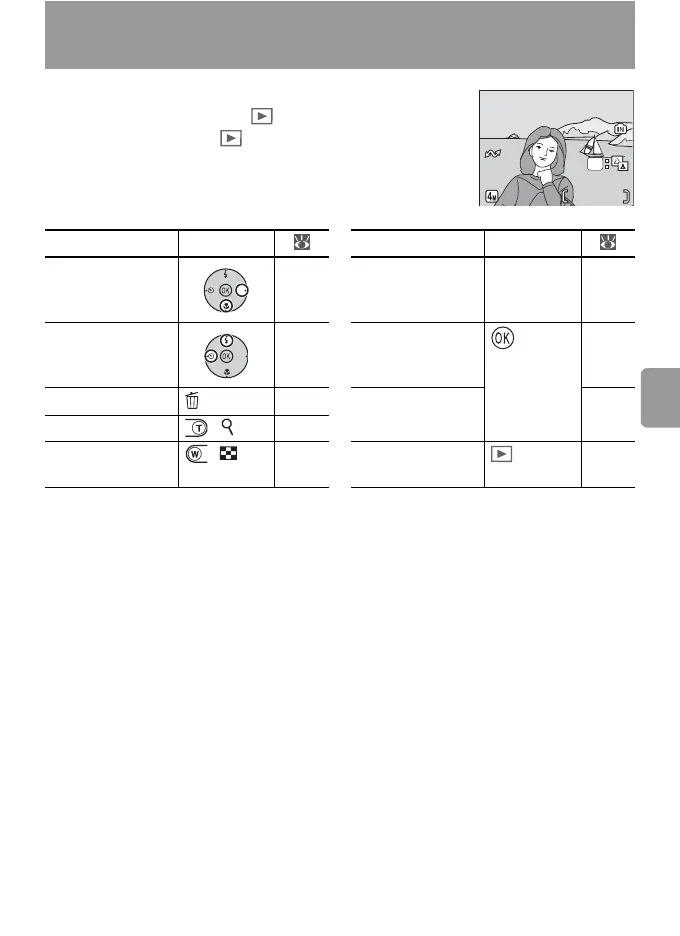
To view pictures full-frame in the monitor (full-
frame playback), press the button (if the cam-
era is off, pressing the button for about one
second will turn the camera on in playback mode).
The following operations can be performed:
To Press To Press
View next picture 17 View playback
menu
MENU 71
View previous
picture
17 Still: Enhance
contrast
40
Delete picture 17 Movie: Play
movie
34
Zoom picture in ( ) 39
View thumbnails ( ) 38 Exit to shooting
mode
—
100NIKON
15:30
15:30
100NIKON
0005.JPG
0005.JPG
10.10.2006
10.10.2006
5
/
55
/
5
OK




 To Next Page