EasyManua.ls Logo

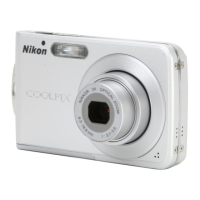
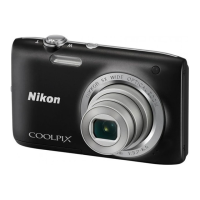
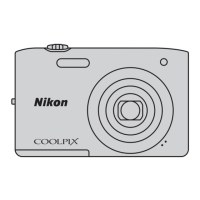
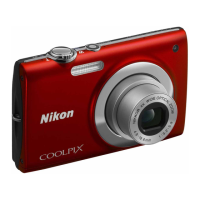
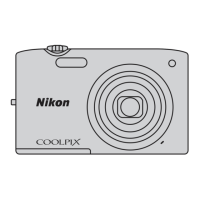
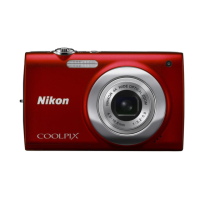
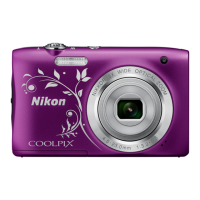
Nikon Coolpix S2900 - User Manual

Nikon Coolpix S2900
36 pages
Print Icon
To Next Page IconTo Next Page
Loading...
DIGITAL CAMERA
Quick Start Guide
En
Introduction ii
Preparing for Shooting 1
Basic Shooting and Playback Operations 6
Using Menus 12
Technical Notes 14

Other manuals for Nikon Coolpix S2900

Questions and Answers

  • M
    Marcus RamosSep 23, 2025
    Why isn't the PictBridge startup screen displayed on my Nikon Coolpix S2900?
    • C
      Cindy KingSep 23, 2025
      With some PictBridge-compatible printers, the PictBridge startup screen may not be displayed and it may be impossible to print images when Auto is selected for Charge by computer in the setup menu. Set Charge by computer to Off and reconnect the camera to the printer.
  • A
    Angela PattersonAug 23, 2025
    Why can't my Nikon Coolpix S2900 focus?
    • M
      Mark ChavezAug 25, 2025
      Your Nikon Digital Camera may fail to focus because: - The subject is too close. Try shooting using scene auto selector mode, Close-up scene mode, or macro mode. - The subject is hard to focus on.
  • D
    danieltuckerAug 25, 2025
    How to fix blurred images on Nikon Coolpix S2900 Digital Camera?
    • S
      Sharon HayesAug 25, 2025
      To avoid blurred images with your Nikon Digital Camera, you can: - Use the flash. - Increase the ISO sensitivity value. - Use Electronic VR. - Use a tripod to stabilize the camera (using the self-timer at the same time is more effective).
  • S
    Scott SmithAug 26, 2025
    Why does my Nikon Coolpix S2900 Digital Camera turn off unexpectedly?
    • L
      Lauren GillAug 27, 2025
      Your Nikon Digital Camera might be turning off without warning because: - The camera automatically turns off to save power (auto off function). - The camera and battery may not work properly at low temperatures. - The inside of the camera has become hot. Leave the camera off until the inside of the camera has cooled, and then try turning it on again.
  • J
    jlloydAug 27, 2025
    How to reduce noise in Nikon Coolpix S2900 images?
    • K
      Kimberly AguirreAug 27, 2025
      If you notice randomly spaced bright pixels (“noise”) in your Nikon Digital Camera images, it could be because the subject is dark and the shutter speed is too slow, or the ISO sensitivity is too high. You can reduce noise by: - Using the flash - Specifying a lower ISO sensitivity setting.
  • M
    Maria BuckSep 16, 2025
    Why isn't the AF-assist illuminator working on my Nikon Coolpix S2900 Digital Camera?
    • J
      Jennifer MendozaSep 16, 2025
      Off is selected for AF assist in the setup menu. AF- assist illuminator may not light depending on the position of the focus area or the current scene mode, even when Auto is selected.
  • S
    Sharon GriffinSep 13, 2025
    Why does the time zone screen appear on my Nikon Coolpix S2900?
    • A
      Angelica ChapmanSep 13, 2025
      The clock battery is exhausted; all settings were restored to their default values.
  • J
    Jimmy MoralesSep 15, 2025
    Why is there no shutter sound on my Nikon Digital Camera?
    • A
      Ashley BlakeSep 15, 2025
      Off is selected for Shutter sound in Sound settings in the setup menu. No sound is produced with some shooting modes and settings, even when On is selected.
  • M
    Michele CampbellSep 5, 2025
    Why does saving images take so long on my Nikon Digital Camera?
    • B
      Brittany JordanSep 5, 2025
      Saving images may take more time on your Nikon Digital Camera: - When the noise reduction function is in operation, such as when shooting in a dark environment. - When the flash mode is set to V (auto with red-eye reduction). - When the skin softening function is applied while shooting. - When using continuous shooting mode.
  • N
    Norma BartonSep 3, 2025
    Why do colored circles appear in my Nikon Coolpix S2900 photos?
    • C
      Cody DanielsSep 3, 2025
      When shooting with backlighting or when a very strong light source (such as sunlight) is in the frame, colored circles or light streaks (ghosting) may occur in your Nikon Digital Camera images. Change the position of the light source, or frame the image so that the light source does not enter the frame, and try again.

Summary

Safety Precautions

General Safety Warnings

Covers critical warnings about malfunctions, disassembly, flammable environments, and child safety.

Battery and Adapter Safety

Details safety precautions for handling the camera battery and charging adapter, including temperature and liquid exposure.

Device Operation and Handling Safety

Advises on safe use of cables, lens, flash, monitor, and following airline/hospital personnel instructions.

Preparing for Shooting

Battery and Memory Card Installation

Instructions for inserting, formatting, and removing the battery and memory card for initial camera setup.

Charging the Camera Battery

Step-by-step guide on how to charge the camera battery using the electrical outlet and USB cable.

Initial Camera Setup: Language and Time

Guides the user through the first-time setup of display language, time zone, and date settings.

Basic Shooting and Playback Operations

Shooting Modes and Camera Handling

Explains how to hold the camera steady, frame shots, and introduces the Scene Auto Selector mode.

Viewing Captured Images

Instructions on how to enter playback mode, navigate images, zoom, and switch between display modes.

Using Menus

Troubleshooting

Common Camera Problems and Solutions

Lists typical camera issues like unresponsiveness, failure to turn on, overheating, and provides solutions.

Nikon Coolpix S2900 Specifications

General IconGeneral
Sensor Resolution20.48 MP
Effective Pixels20.1 MP
Optical Zoom5x
Digital Zoom4x
Image Sensor1/2.3-inch CCD
LensNIKKOR lens
Focal Length4.6-23.0 mm (angle of view equivalent to that of 26-130 mm lens in 35mm [135] format)
f/-numberf/3.2-6.5
Construction6 elements in 5 groups
AutofocusContrast-detect AF
Storage MediaSD, SDHC, SDXC memory cards
File SystemDCF, EXIF 2.3, DPOF
ISO SensitivityISO 80-1600
Shutter TypeMechanical and CCD electronic shutter
Built-in FlashYes
USBHi-Speed USB
Video OutputNTSC, PAL
Battery LifeApprox. 250 shots with EN-EL19 battery
Tripod Socket1/4 (ISO 1222)
Image ProcessorEXPEED C2
Display Size2.7 inches
Video Resolution1280 x 720 (HD)
Battery TypeEN-EL19
Weight119 g (including battery and memory card)
Vibration ReductionElectronic VR
Focus Range50 cm (1 ft 8 in.) to infinity
MonitorTFT LCD with anti-reflection coating
Frame CoverageApprox. 98% horizontal and 98% vertical (compared to actual picture)
File FormatsJPEG
Image Size (pixels)5152 x 3864
Shutter Speed1/2000-1 s
ApertureElectronically controlled ND filter selection
Flash Range (approx.)0.5-4.0 m (W), 0.5-2.0 m (T)
ControlTTL auto flash with monitor pre-flashes
Power SourcesEN-EL19
Movie Recording720p HD
Dimensions (W x H x D)94.5 x 58.6 x 19.8 mm
RangeNormal: Approx. 50 cm (1 ft 8 in.) to infinity

Related product manuals