27
The Basics of Shooting and Playback
Restrict Image Deletion (Image Lock)
To prevent accidental deletion of images, you can lock image deletion (A 25) and
formatting (A 65, E40).
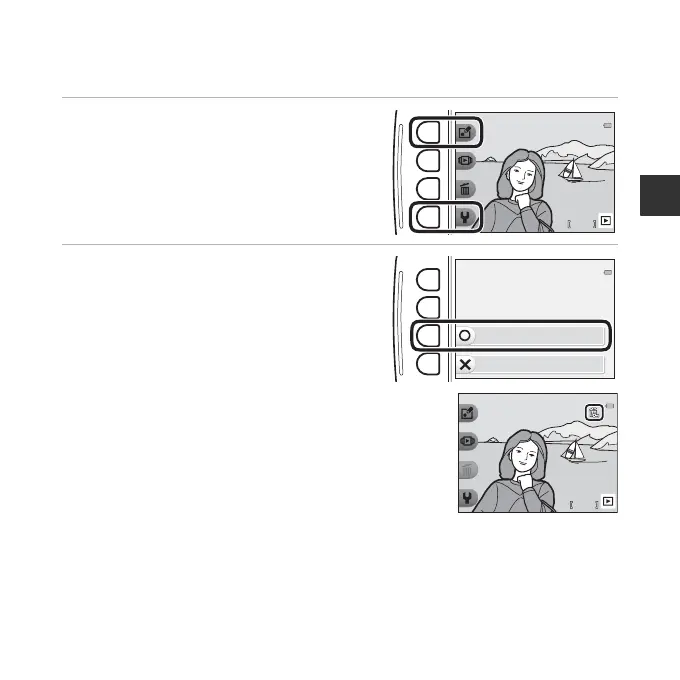
1 Press and hold down flexible buttons
1 and 4 at the same time while in
shooting mode or playback mode.
2 Press flexible button 3 (R Yes).
• Image lock is set.
• When image lock is set, C is displayed in the
monitor.
Removing Image Lock
The procedure for removing image lock is the same as for setting image lock.
44
1 5 / 0 5 /2 0 1415/05/2014 1 5 : 3 015:30
Yes
No
Enable image lock?
4
15/05/2014
15:30














 To Next Page