78
2 Start Nikon Transfer 2 component of ViewNX-i.
If a message is displayed prompting you to choose a
program, select Nikon Transfer 2.
D During Transfer
Do not turn the camera off or disconnect the USB cable while
transfer is in progress.
A Windows 7
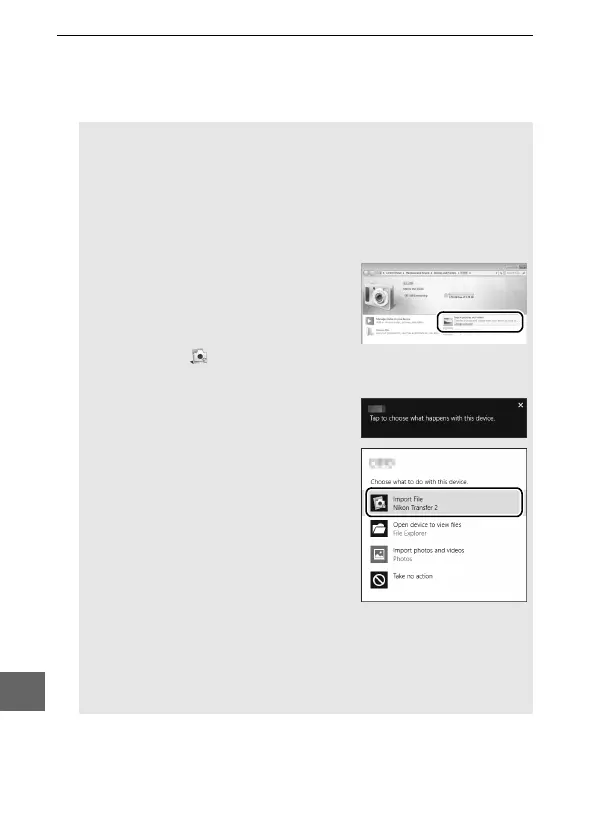
If the following dialog is displayed, select Nikon Transfer 2 as
described below.
1 Under Import pictures and videos,
click Change program.
A program
selection dialog will be displayed;
select Nikon Transfer 2 and click OK.
2 Double-click .
A Windows 10 and Windows 8.1
Windows 10 and Windows 8.1 may
display an AutoPlay prompt when the
camera is connected.
Tap or click the
dialog and then tap or click
Nikon Transfer 2 to select
Nikon Transfer 2.
A OS X
If Nikon Transfer 2 does not start automatically, confirm that the
camera is connected and then launch Image Capture (an
application that comes with OS X) and select Nikon Transfer 2 as
the application that opens when the camera is detected.



 To Next Page