65
Mode M (Manual)
In manual mode, you control both shutter speed and aperture.
Checking the exposure indicator (0 66), adjust shutter speed
and aperture.
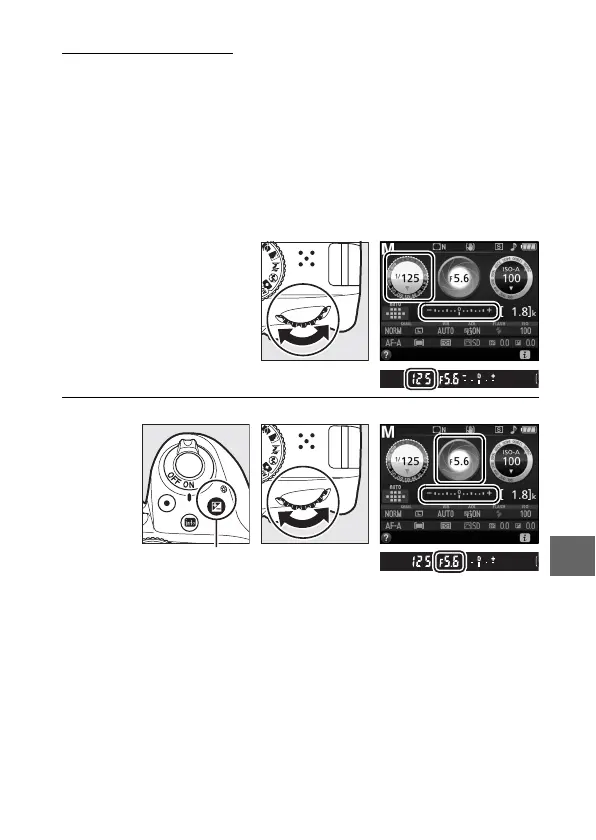
Shutter speed is selected by rotating the
command dial (right for faster speeds, left for slower).
To adjust
aperture, keep the E (N) button pressed while rotating the
command dial (left for larger apertures/lower f-numbers and
right for smaller apertures/higher f-numbers).
Shutter speed
Command dial
Aperture
E (N) button Command dial



 To Next Page